> ## Documentation Index
> Fetch the complete documentation index at: https://docs.matterai.so/llms.txt
> Use this file to discover all available pages before exploring further.
# Cursor Editor
> Configure Cursor IDE to work with Axon AI code generation
### Get API Key
Generate a new API key
## Configuration
To integrate Cursor with Axon, configure the following settings in Cursors Model's Configuration:
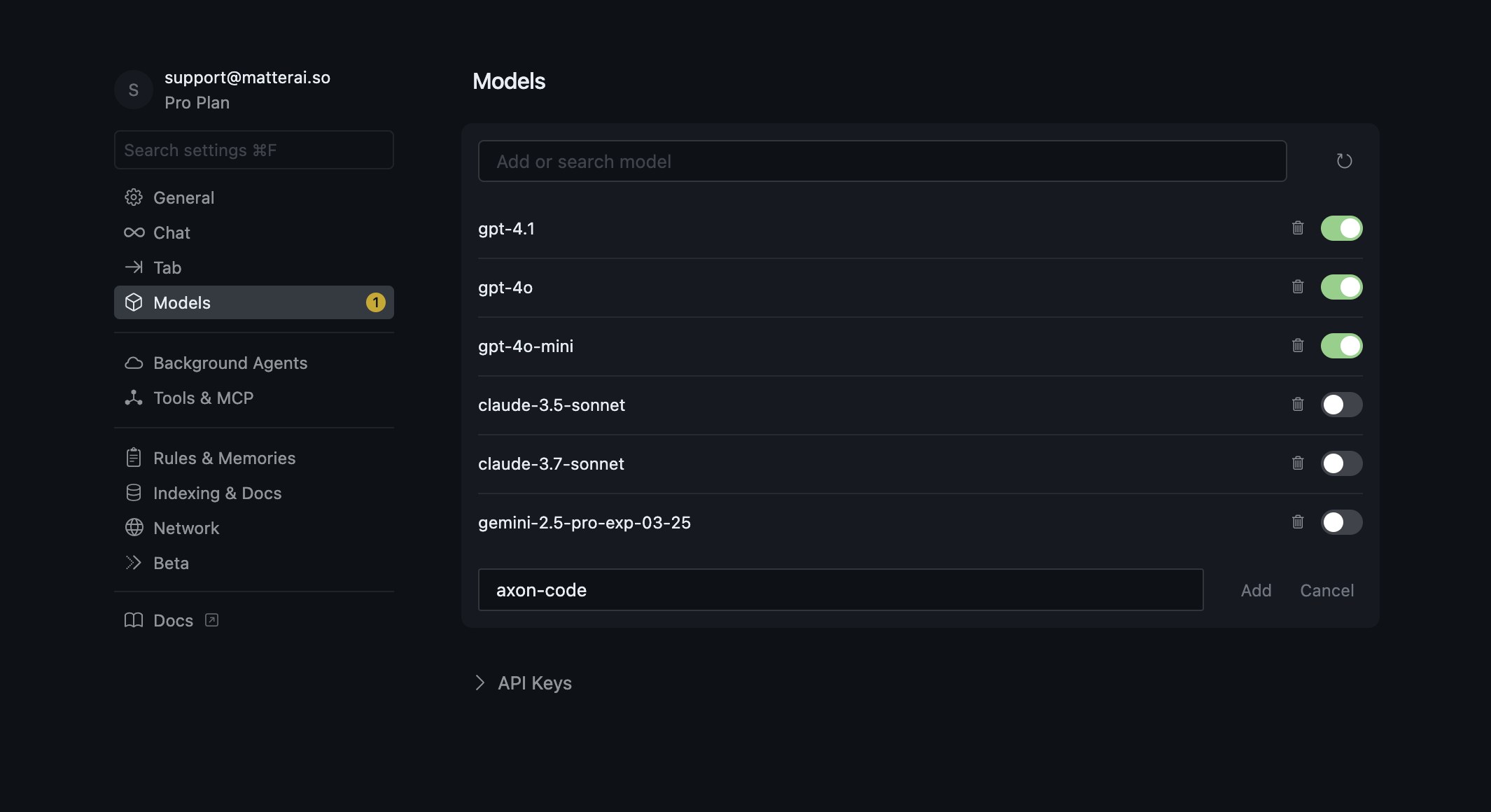
### Add axon-code Model to Cursor
 ### Configure MatterAI as API Provider
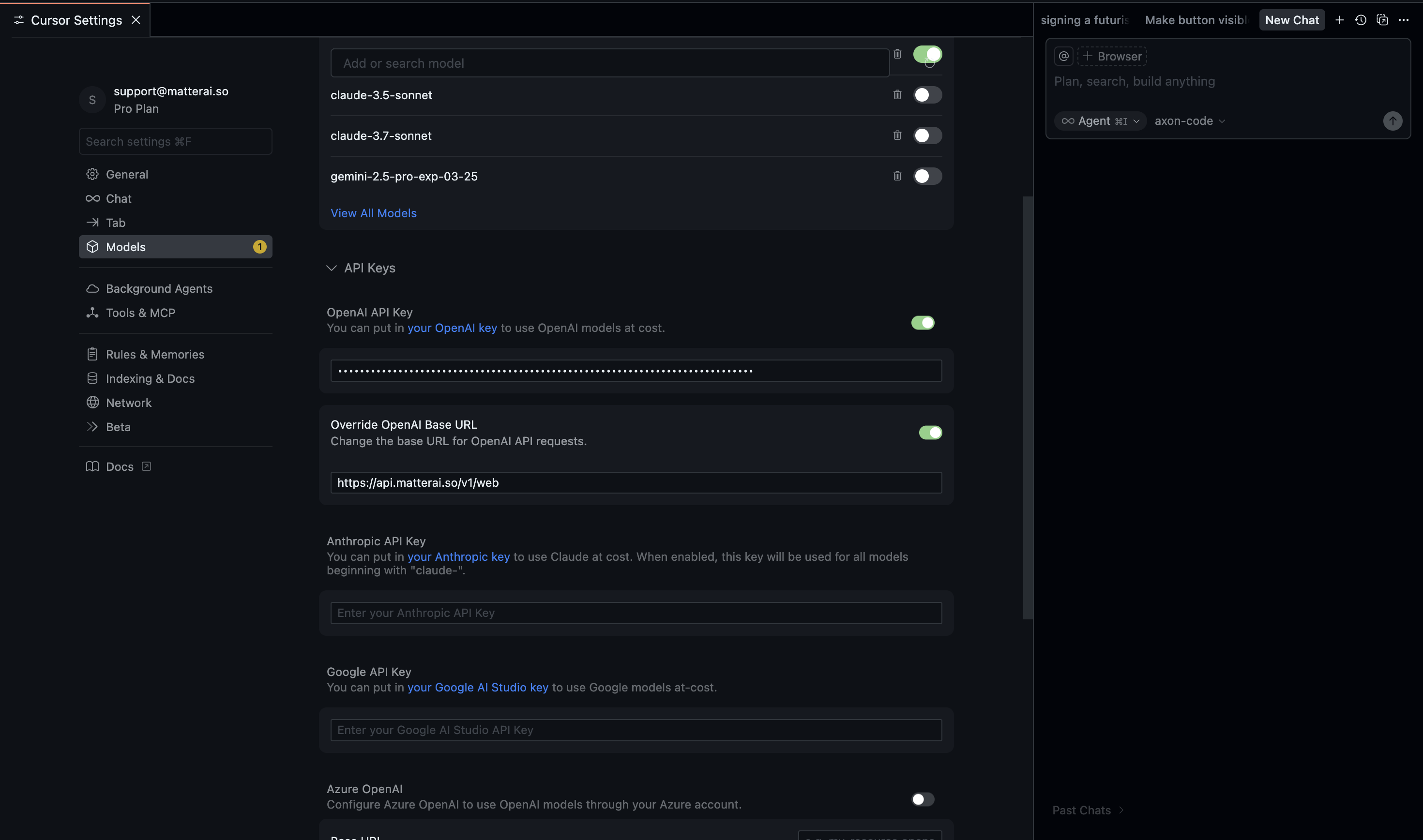 ### API Provider Settings
* **API Provider**: OpenAI Compatible
* **Base URL**: `https://api.matterai.so/v1/web`
* **API Key**: `Your MatterAI API Key from above`
* **Model ID**: `axon-code`
### Authentication
* **OpenAI Compatible API Key**: Your Axon API key
* The key is stored locally and only used for API requests
### Model Configuration
* **Context Window Size**: 200,000 tokens
* **Model Name**: `axon-code`
* **Max Output Tokens**: 32,768
* **Input Price**: \$1/1M tokens
* **Output Price**: \$4/1M tokens
* **Temperature**: 0
### API Provider Settings
* **API Provider**: OpenAI Compatible
* **Base URL**: `https://api.matterai.so/v1/web`
* **API Key**: `Your MatterAI API Key from above`
* **Model ID**: `axon-code`
### Authentication
* **OpenAI Compatible API Key**: Your Axon API key
* The key is stored locally and only used for API requests
### Model Configuration
* **Context Window Size**: 200,000 tokens
* **Model Name**: `axon-code`
* **Max Output Tokens**: 32,768
* **Input Price**: \$1/1M tokens
* **Output Price**: \$4/1M tokens
* **Temperature**: 0