> ## Documentation Index
> Fetch the complete documentation index at: https://docs.matterai.so/llms.txt
> Use this file to discover all available pages before exploring further.

# Github Code Reviews

> Installation Guide for AI Code Review Github App

Here's a quickstart video (1 min):

<iframe width="100%" height="400px" src="https://www.youtube.com/embed/Vm0At6mP8Tw" title="YouTube video player" frameborder="0" allow="accelerometer; autoplay; clipboard-write; encrypted-media; gyroscope; picture-in-picture; web-share" referrerpolicy="strict-origin-when-cross-origin" allowfullscreen />

## Installation

<Steps>
  <Step title="Sign up on MatterAI">
    Sign up on MatterAI here: [https://app.matterai.so](https://app.matterai.so)
  </Step>

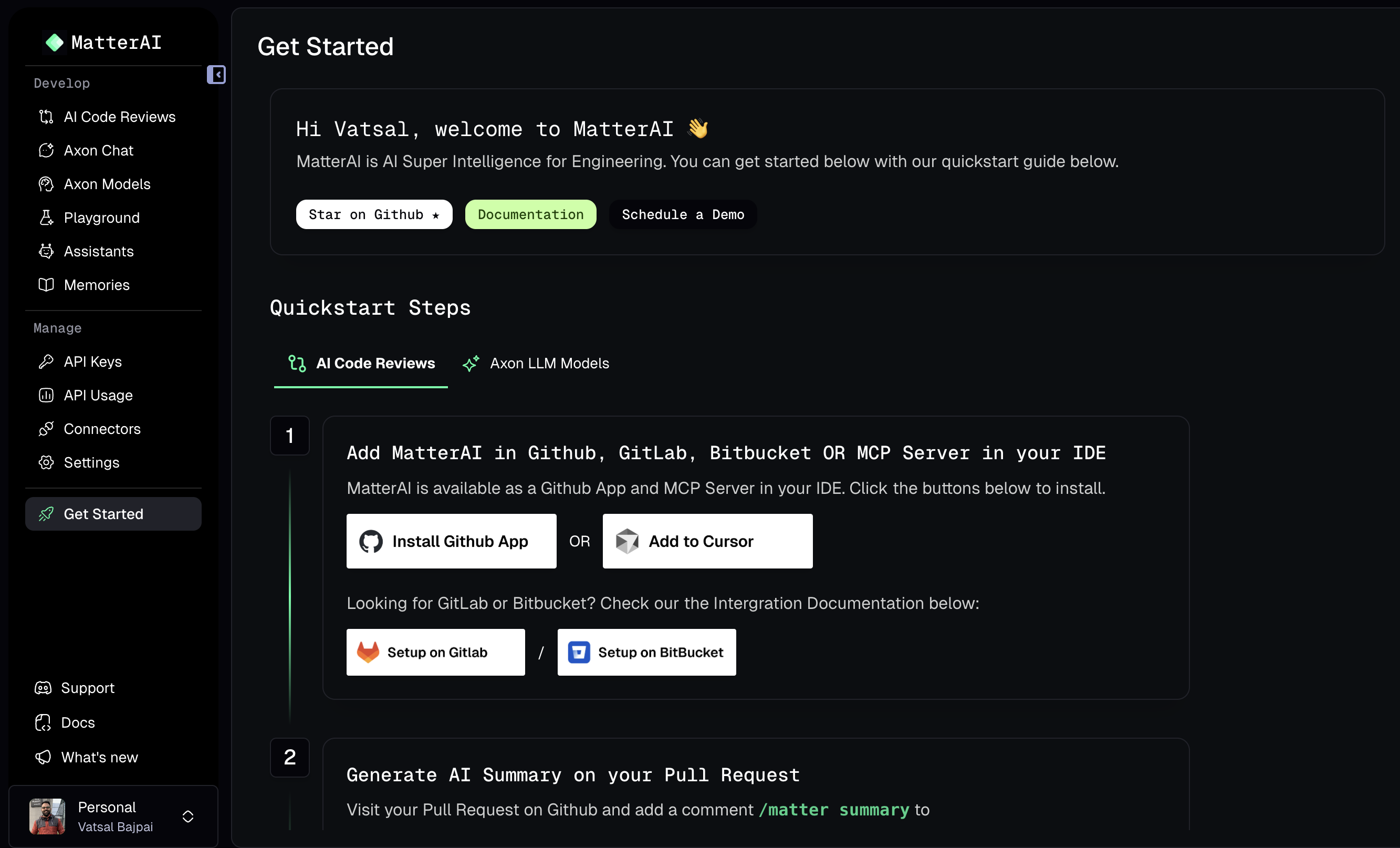
  <Step title="Connect your Github account">
    Connect your Github account at Get Started

    <Frame>
      <img className="block" src="https://mintcdn.com/gravitycloud-9ebb5c50/awvH5dg-ffceGvtq/images/quickstart/quickstart-1.png?fit=max&auto=format&n=awvH5dg-ffceGvtq&q=85&s=150c95695df164961ce0e7bb1d7fb53c" alt="MatterAI Github Connect" width="2666" height="1614" data-path="images/quickstart/quickstart-1.png" />
    </Frame>
  </Step>

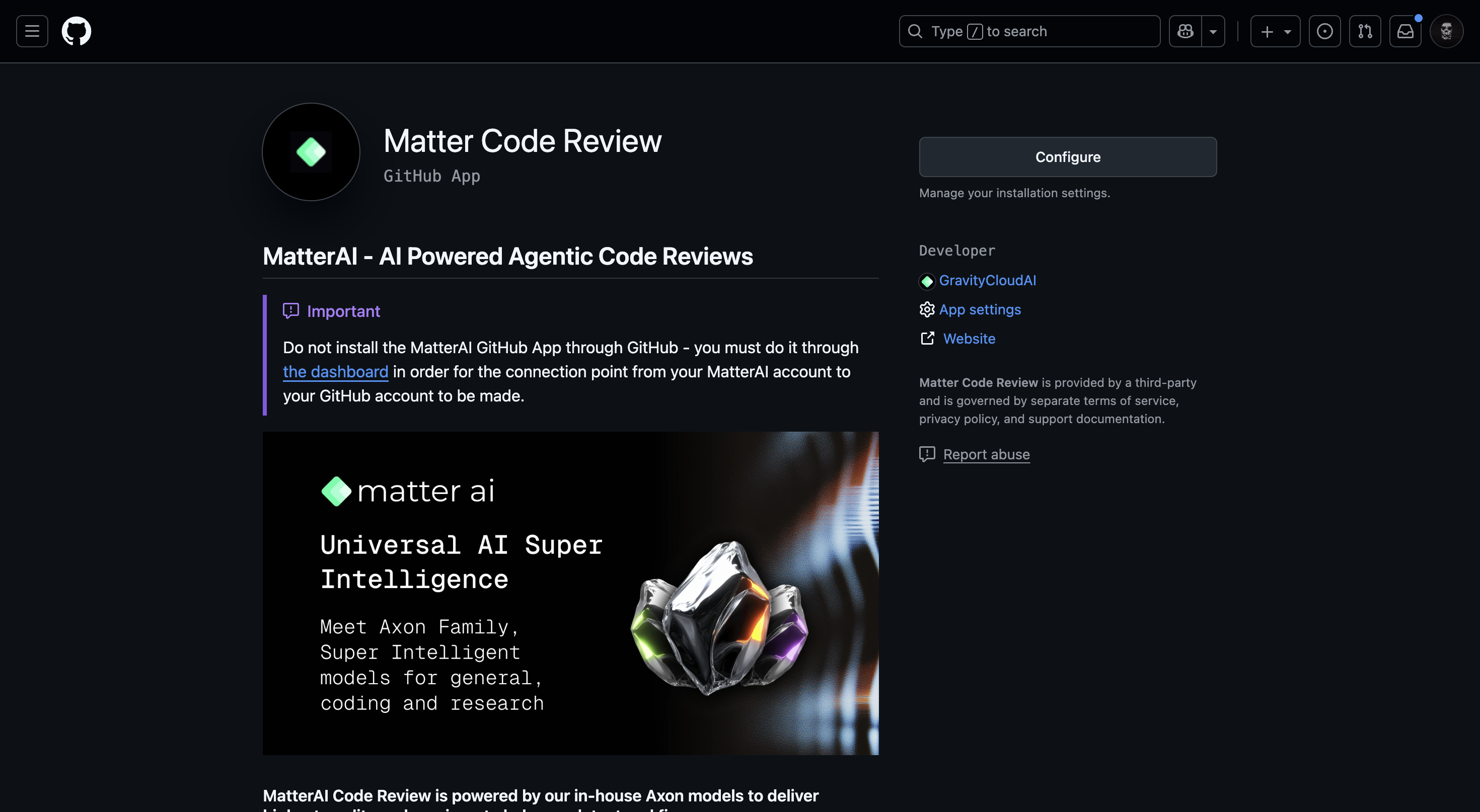
  <Step title="Login via Github">
    Click on the `Connect` button to install the agent on your Organization. After authenticating with Github, you can Click on `Configure` button to install the official app.

    <Frame>
      <img className="block" src="https://mintcdn.com/gravitycloud-9ebb5c50/awvH5dg-ffceGvtq/images/quickstart/quickstart-2.png?fit=max&auto=format&n=awvH5dg-ffceGvtq&q=85&s=df65291dbb92414e178dbec1c9b1437f" alt="MatterAI Github Connect" width="2940" height="1614" data-path="images/quickstart/quickstart-2.png" />
    </Frame>
  </Step>

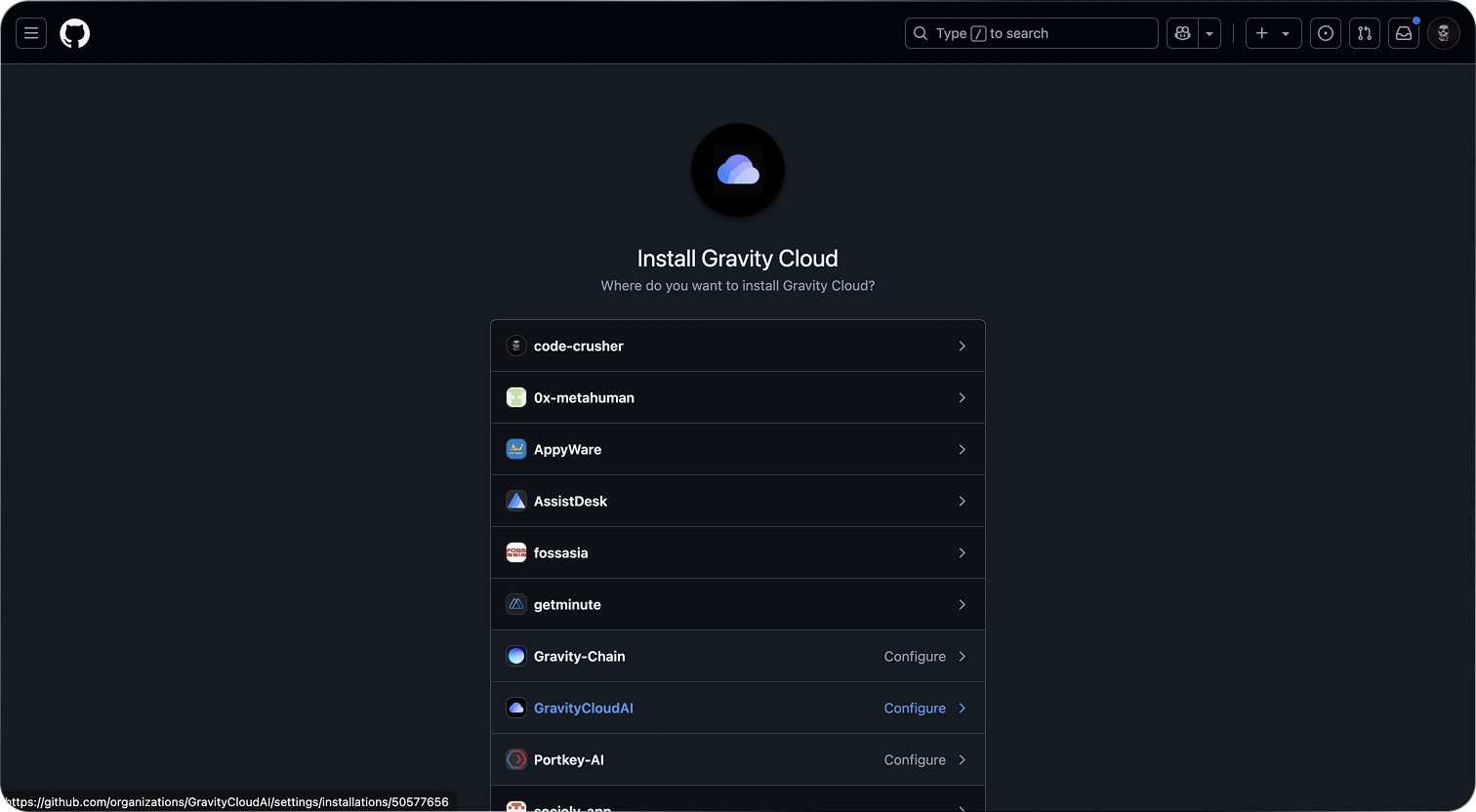
  <Step title="Select the Organization">
    Select the Organization you want to install the agent on.

    <Frame>
      <img className="block" src="https://res.cloudinary.com/dor5uewzz/image/upload/v1739521859/gh-integration-3_hlswva.png" alt="MatterAI Github Connect" />
    </Frame>
  </Step>

  <Step title="Select the repositories">
    Select the repositories you want to analyze.
  </Step>

  <Step title="Refresh the MatterAI Home Page">
    After 2-3 mins, refresh the MatterAI Home Page to see the agent installed.
    <Note>The first sync with Github might take a few minutes to complete.</Note>
  </Step>

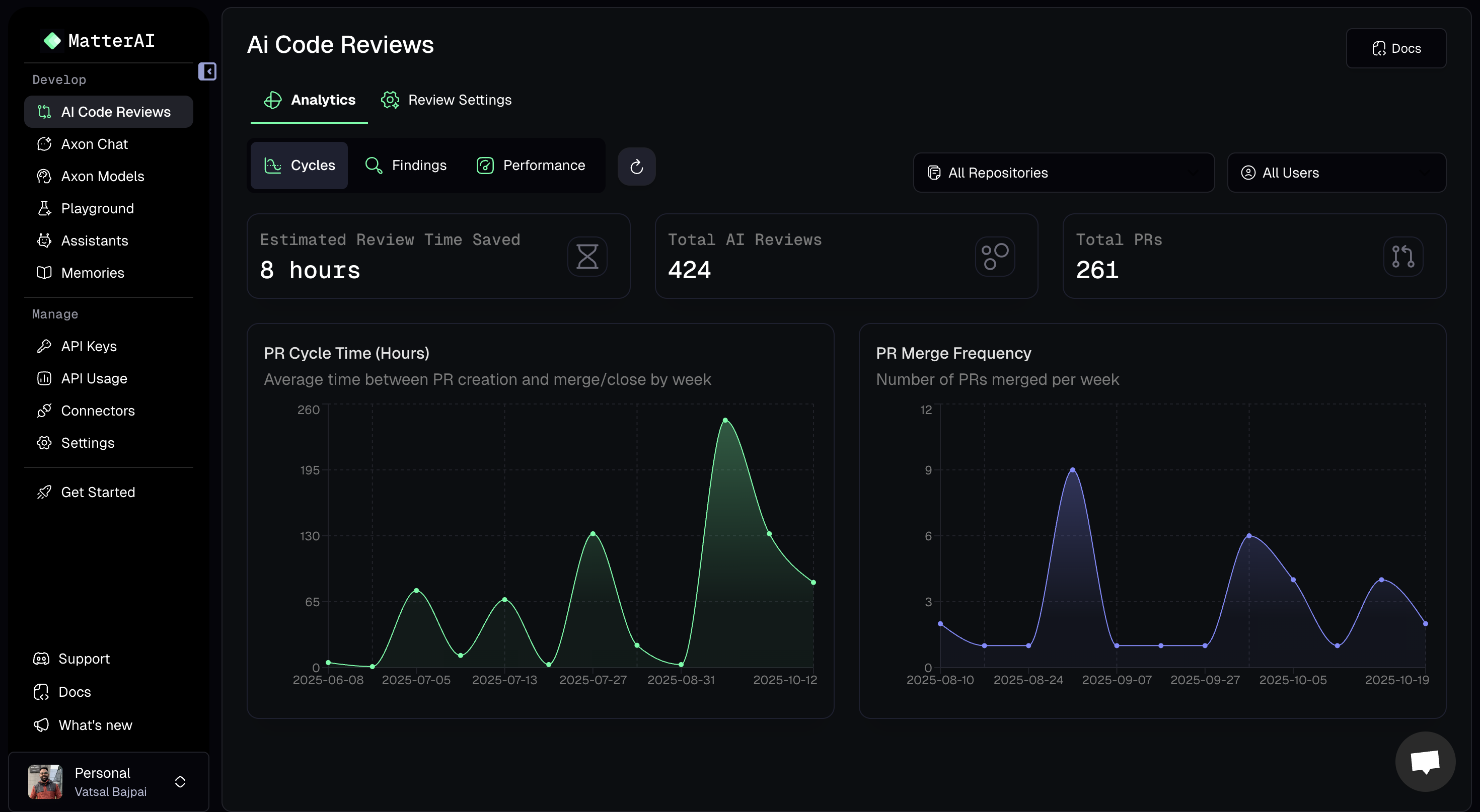
  <Step title="View the Team Dashboard">
    Click on the `Team Dashboard` to view all the Pull Requests

    <Frame>
      <img className="block" src="https://mintcdn.com/gravitycloud-9ebb5c50/awvH5dg-ffceGvtq/images/quickstart/quickstart-3.png?fit=max&auto=format&n=awvH5dg-ffceGvtq&q=85&s=61d14ef165c1df0130b9fc5fae29affa" alt="MatterAI Code Review Agent" width="2940" height="1614" data-path="images/quickstart/quickstart-3.png" />
    </Frame>
  </Step>

  <Step title="Create a new Pull Request">
    <Note>
      Agent only analyzes Pull Requests that are `created OR edited after` the app is installed.
    </Note>
  </Step>
</Steps>

### Self Hosted Installation

You can self host the Github App to comply with your security policies using our Open Source Integrator and install the `Helm Chart` in your Kubernetes cluster: [https://github.com/MatterAIOrg/wave](https://github.com/MatterAIOrg/wave)