> ## Documentation Index
> Fetch the complete documentation index at: https://docs.matterai.so/llms.txt
> Use this file to discover all available pages before exploring further.
# Bitbucket AI Code Reviews
> Install MatterAI on Bitbucket for AI Code Reviews and more
All Pricing and Features are same on Bitbucket as on Github
# MatterAI Bitbucket Integration
MatterAI seamlessly integrates with Atlassian Bitbucket to enhance your development workflow by:
* Automatically initiating AI-powered code reviews for new merge requests
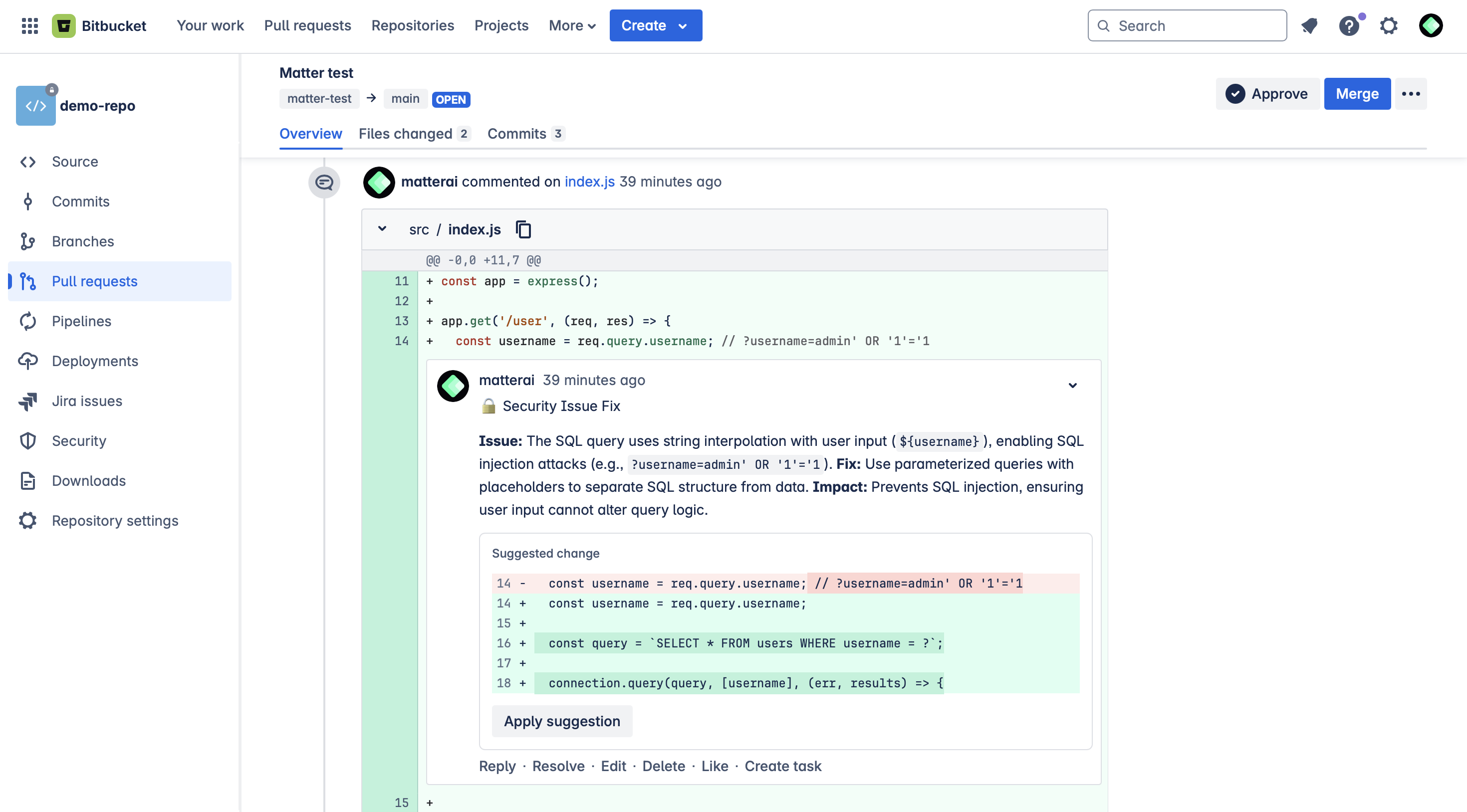
* Displaying intelligent review comments directly within merge requests
* Providing real-time assistance through the MatterAI bot
Follow these steps to integrate MatterAI with your Bitbucket repositories:
## Step 1: Choose Your Bitbucket Access Token Type
To enable MatterAI to interact with your Bitbucket repositories, you'll need to provide an access token with appropriate permissions:
* **Personal API Token**: Create a dedicated MatterAI service account and generate a API Token for it
* **Group API Token**: For Bitbucket Premium/Ultimate users, generate a token that automatically creates a bot user
## Step 2: Set Up a API Token
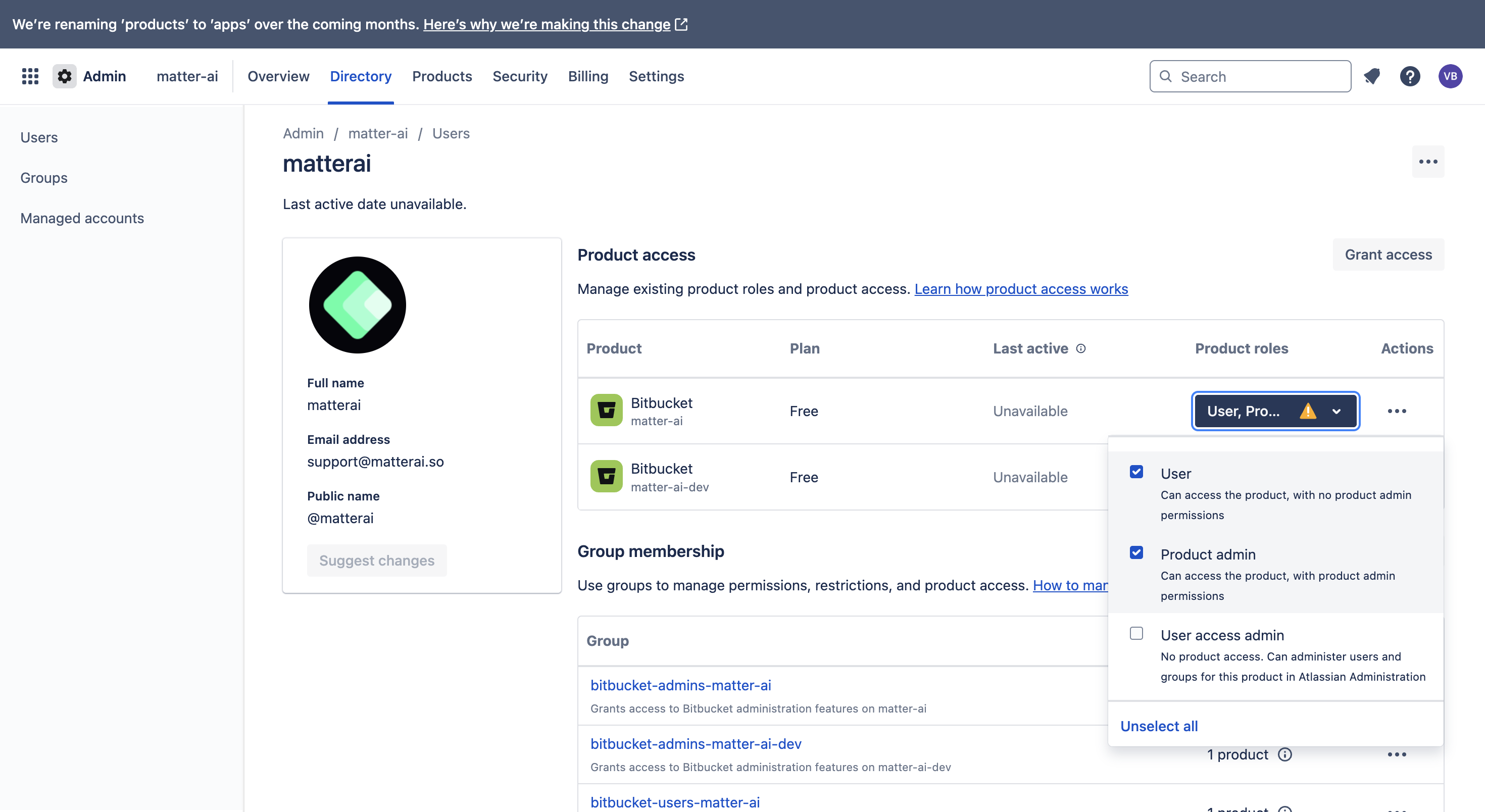
We recommend creating a dedicated service account for MatterAI with these best practices:
1. Create a new **Bitbucket user specifically for MatterAI integration**
2. Name the account **matterai-yourdomain** for easy identification. Keep the email you create with handy, it will be used later.
3. Use a \*\*dedicated email address \*\*for this account
4. Upload the **MatterAI logo** as the profile picture. You can find it here: [MatterAI Logo](https://raw.githubusercontent.com/GravityCloudAI/public-assets/refs/heads/main/logos/matter-logo.png)
5. Ensure this user has at least **Product Admin** access to your target repositories
 ## Step 3: Generate Your API Token
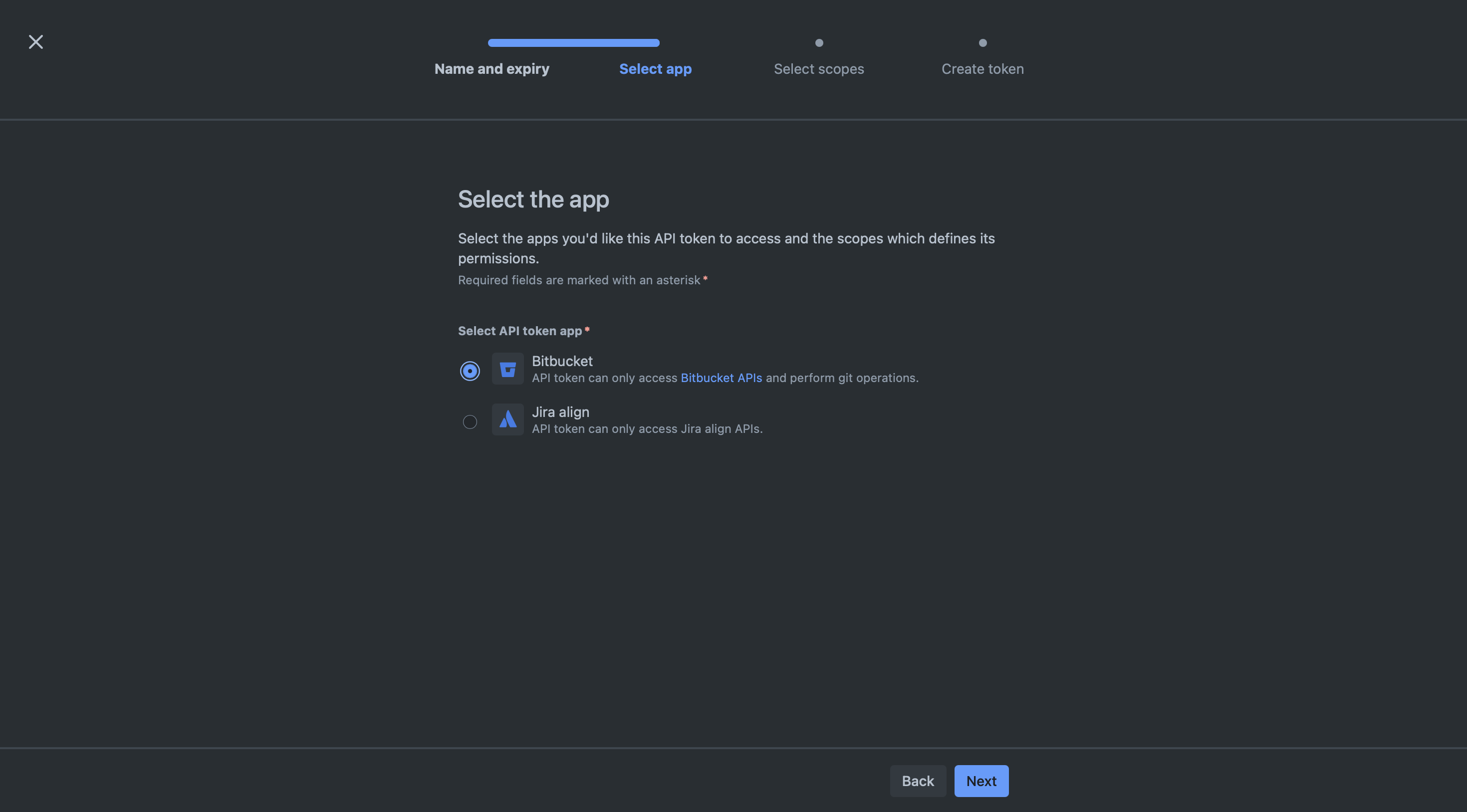
Create a new API token for the created user with the following scopes
* read:account
* read:user:bitbucket
* write:issue:bitbucket
* read:issue:bitbucket
* read:workspace:bitbucket
* admin:project:bitbucket
* write:webhook:bitbucket
* read:webhook:bitbucket
* read:pipeline:bitbucket
* read:runner:bitbucket
* read:repository:bitbucket
* write:repository:bitbucket
* read:pullrequest:bitbucket
* write:pullrequest:bitbucket
## Step 3: Generate Your API Token
Create a new API token for the created user with the following scopes
* read:account
* read:user:bitbucket
* write:issue:bitbucket
* read:issue:bitbucket
* read:workspace:bitbucket
* admin:project:bitbucket
* write:webhook:bitbucket
* read:webhook:bitbucket
* read:pipeline:bitbucket
* read:runner:bitbucket
* read:repository:bitbucket
* write:repository:bitbucket
* read:pullrequest:bitbucket
* write:pullrequest:bitbucket
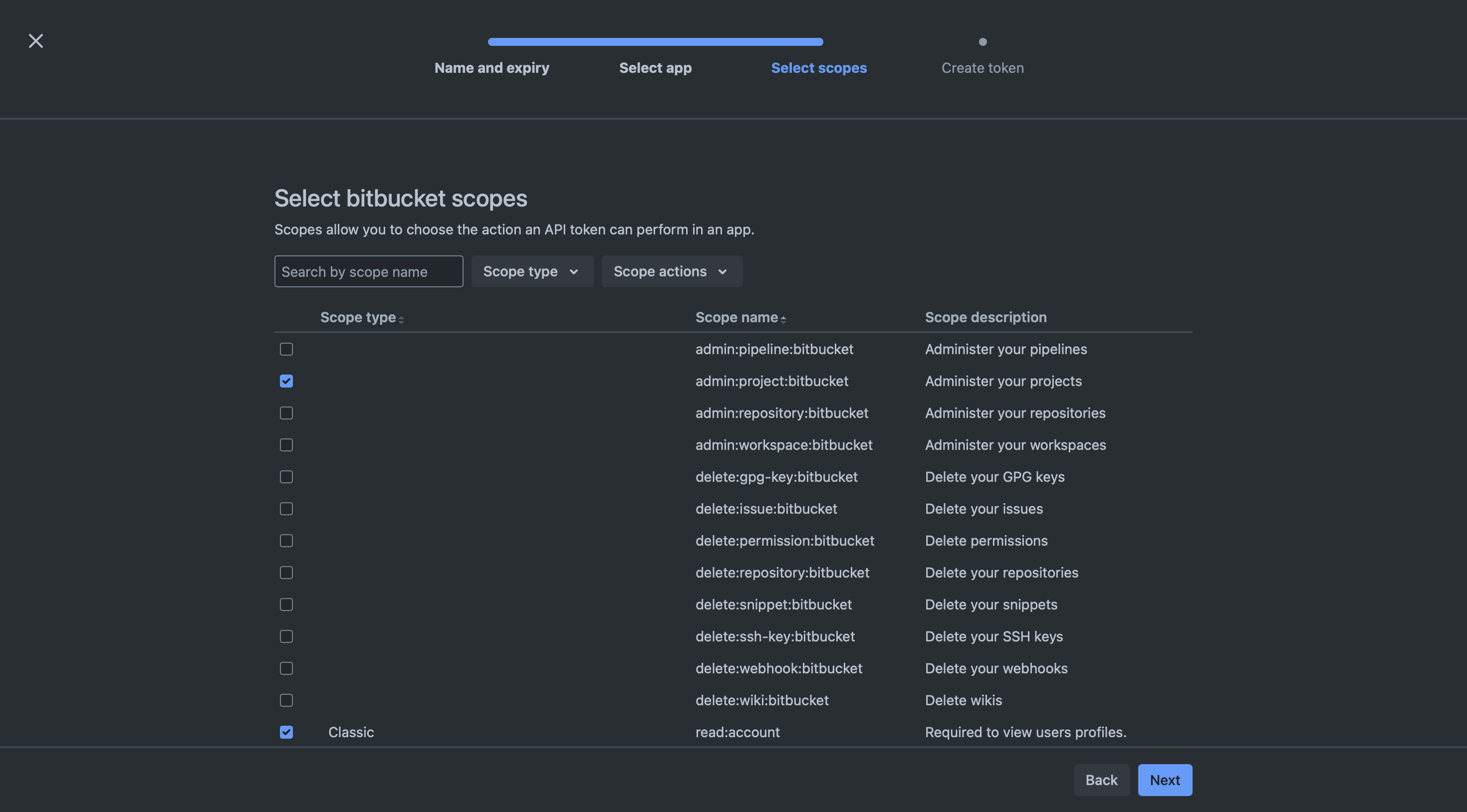
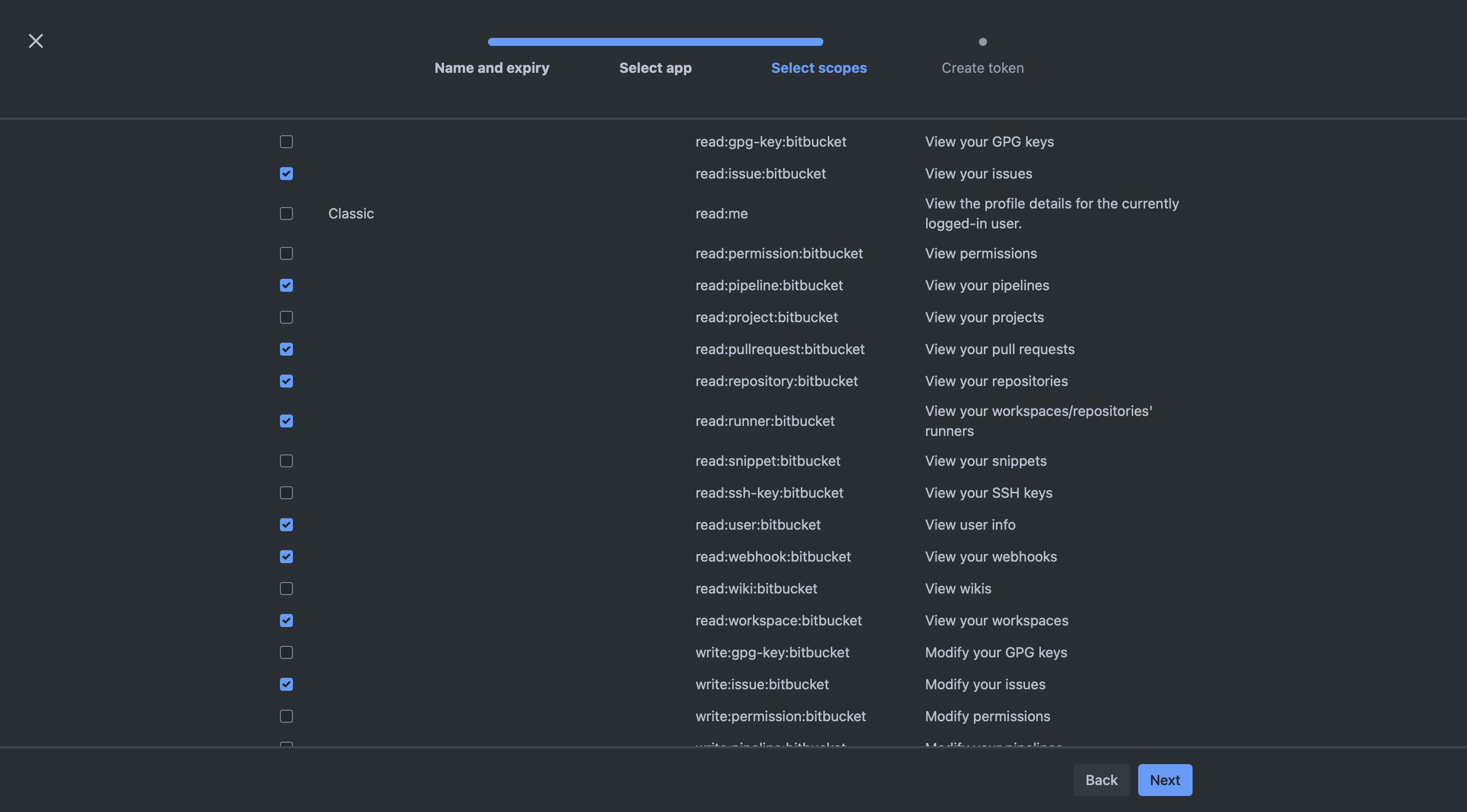
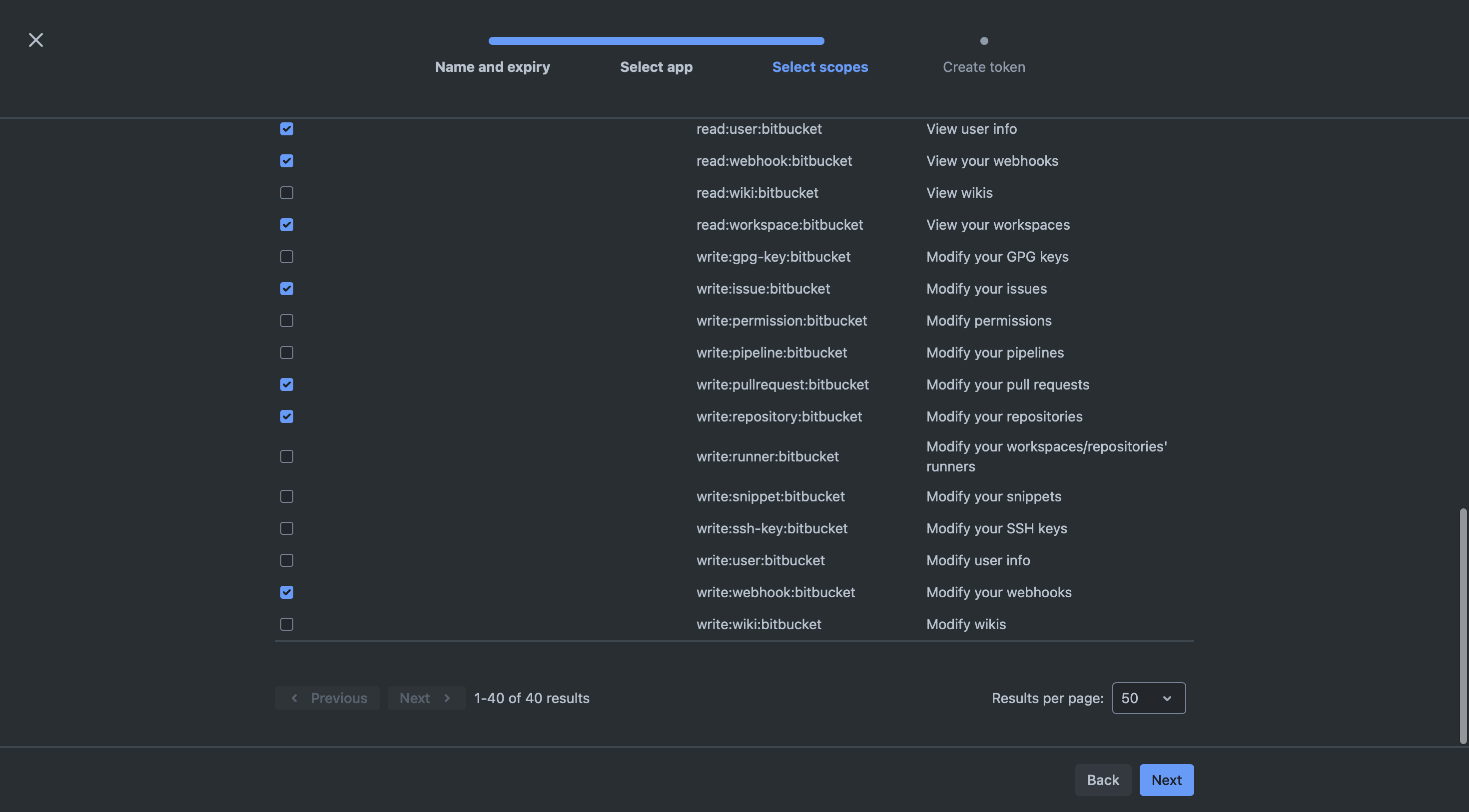
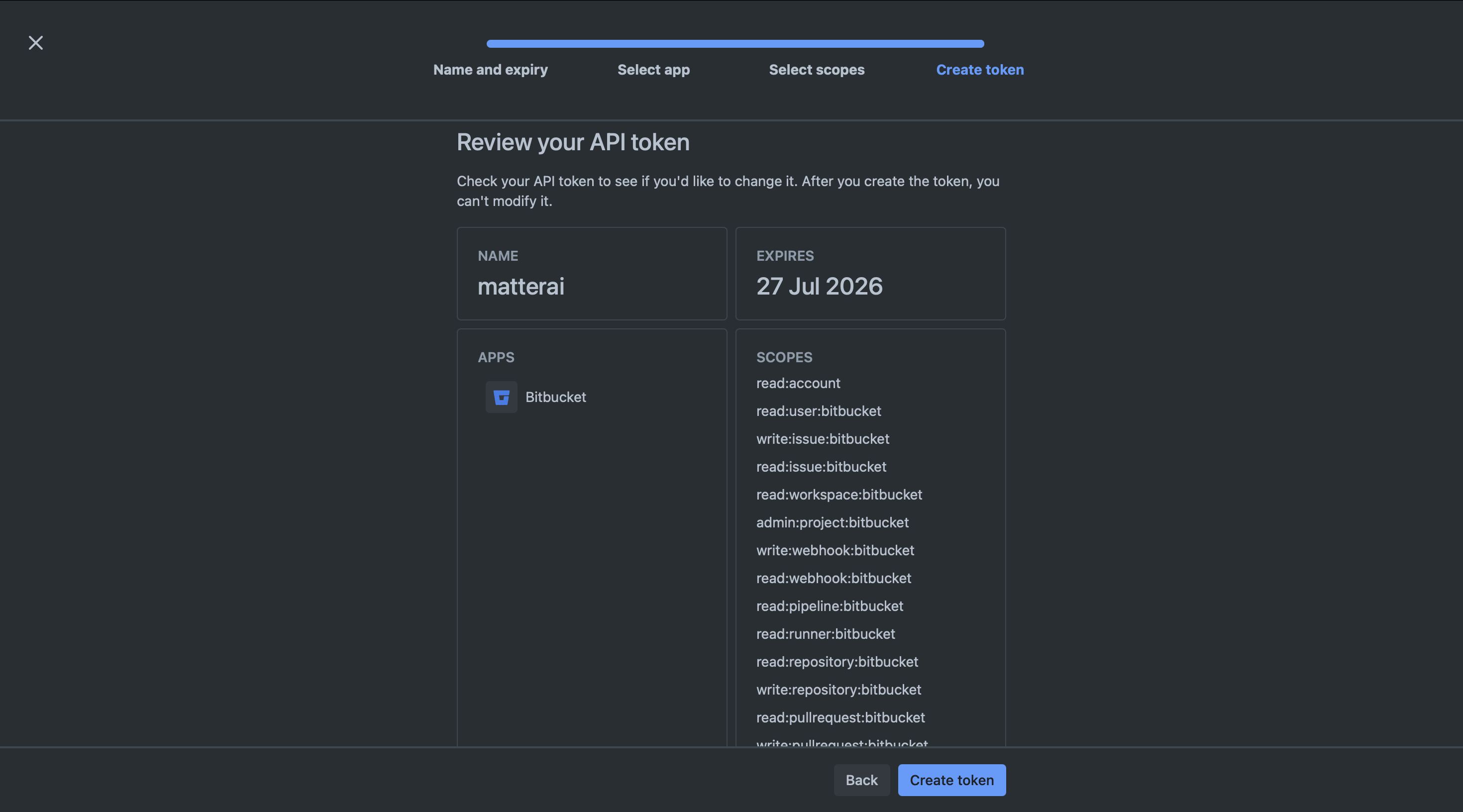 Copy the API Token, it will be used in MatterAI Connector.
## Step 4: Setup MatterAI Webhook
1. Navigate to **Bitbucket** -> **Repositories** -> **Your Repository** -> **Repository Settings** -> **Webhooks**
2. Click on **Add Webhook**
3. Enter the following URL: **[https://api.matterai.so/api/v1/bitbucket/webhook](https://api.matterai.so/api/v1/bitbucket/webhook)**
4. Generate a **Secret Token** and copy it, this will be used to store in MatterAI Connectors
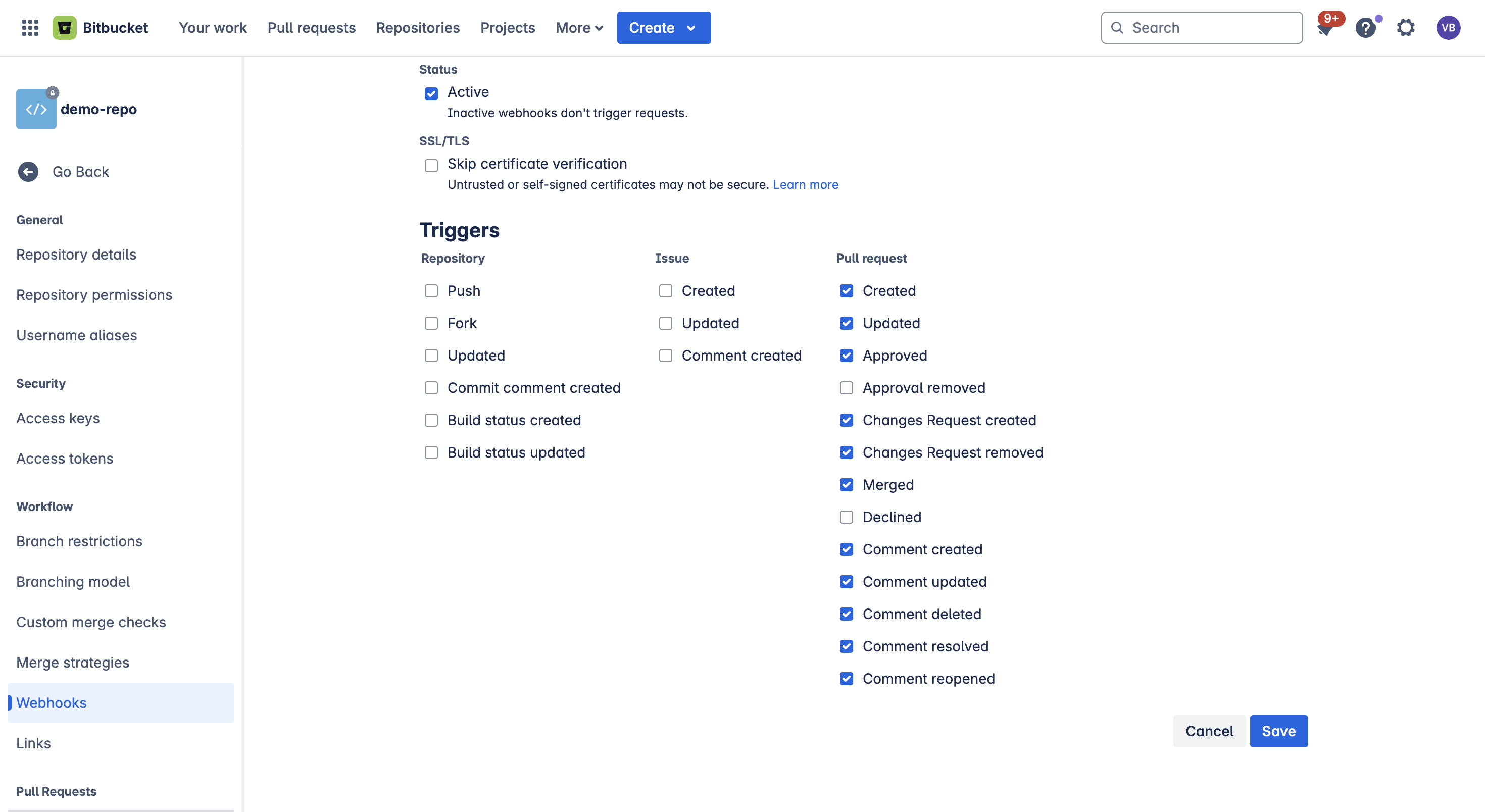
5. Select the **Triggers** for the Webhook, MatterAI requires the following trigger under **Pull Requests**: `Create`, `Updated`, `Approved`, `Changes Request created`, `Changes Request removed`, `Merged`, `Comment created`, `Comment updated`, `Comment deleted`, `Comment resolved`, `Comment reopened`
6. Save the Webhook
Copy the API Token, it will be used in MatterAI Connector.
## Step 4: Setup MatterAI Webhook
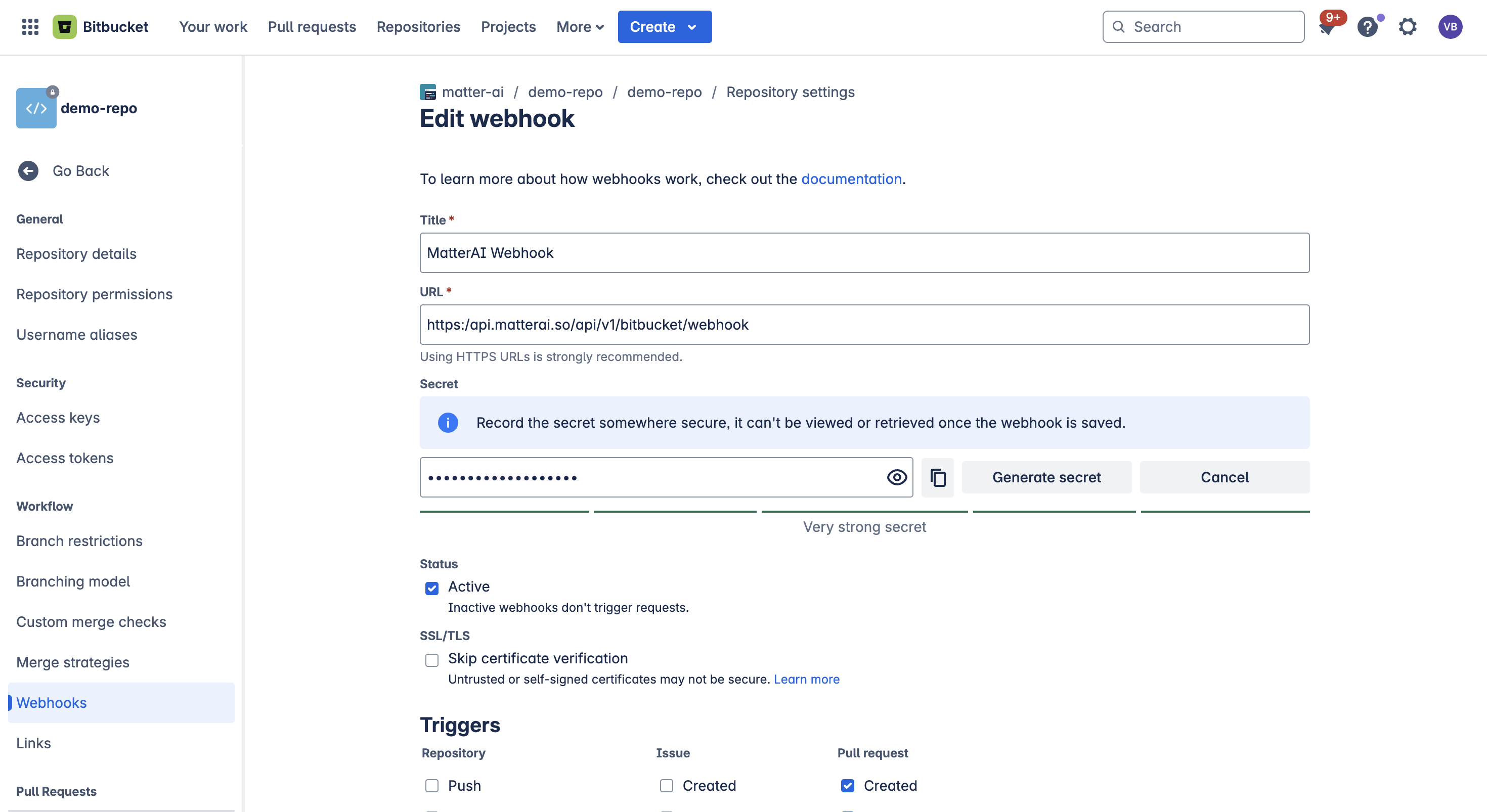
1. Navigate to **Bitbucket** -> **Repositories** -> **Your Repository** -> **Repository Settings** -> **Webhooks**
2. Click on **Add Webhook**
3. Enter the following URL: **[https://api.matterai.so/api/v1/bitbucket/webhook](https://api.matterai.so/api/v1/bitbucket/webhook)**
4. Generate a **Secret Token** and copy it, this will be used to store in MatterAI Connectors
5. Select the **Triggers** for the Webhook, MatterAI requires the following trigger under **Pull Requests**: `Create`, `Updated`, `Approved`, `Changes Request created`, `Changes Request removed`, `Merged`, `Comment created`, `Comment updated`, `Comment deleted`, `Comment resolved`, `Comment reopened`
6. Save the Webhook
 ## Step 5: Setup MatterAI Connector
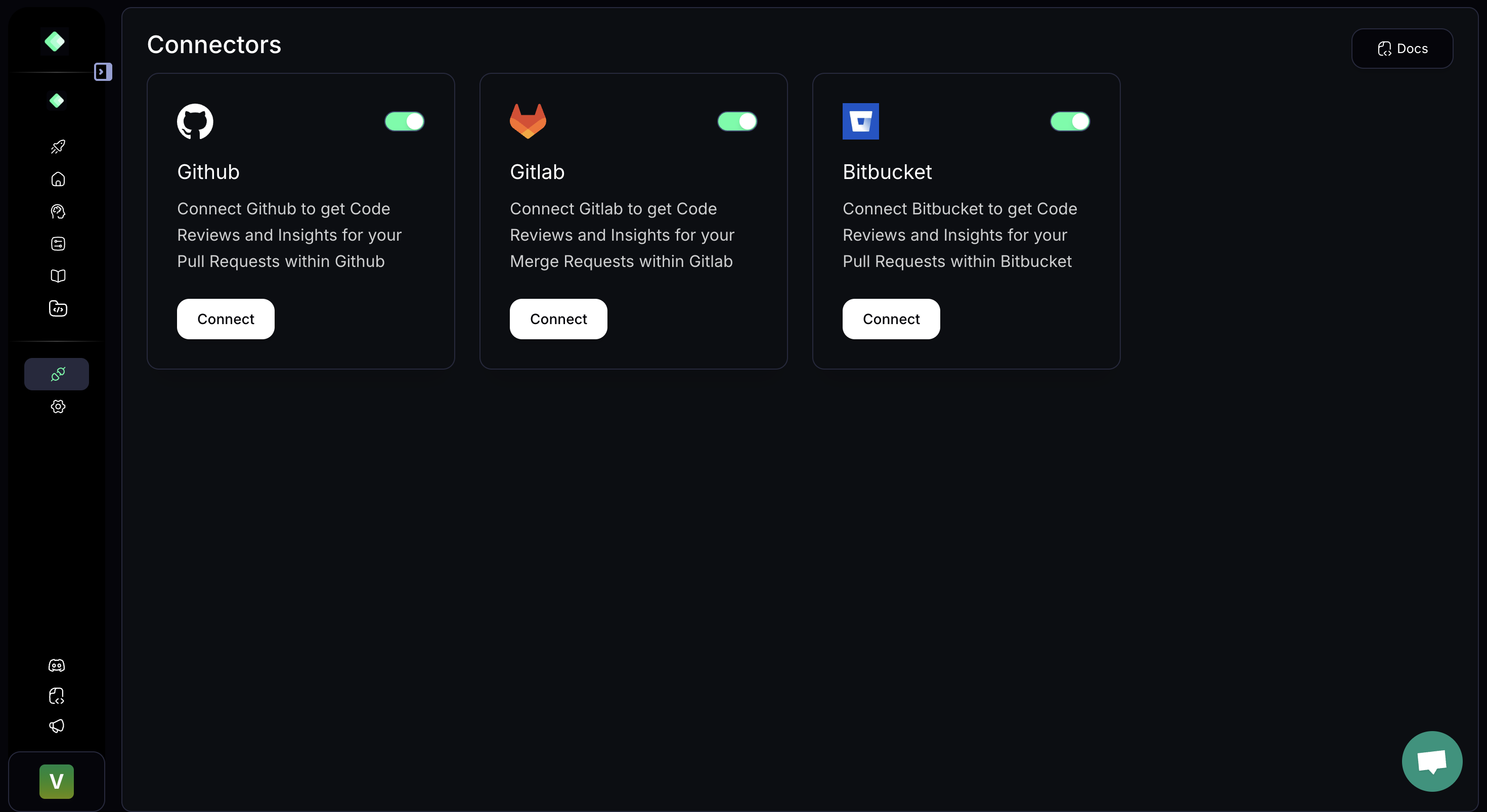
1. Navigate to **MatterAI** -> **Connectors** -> **Bitbucket** and click on **Connect**. Console URL: [https://app.matterai.so/connectors](https://app.matterai.so/connectors)
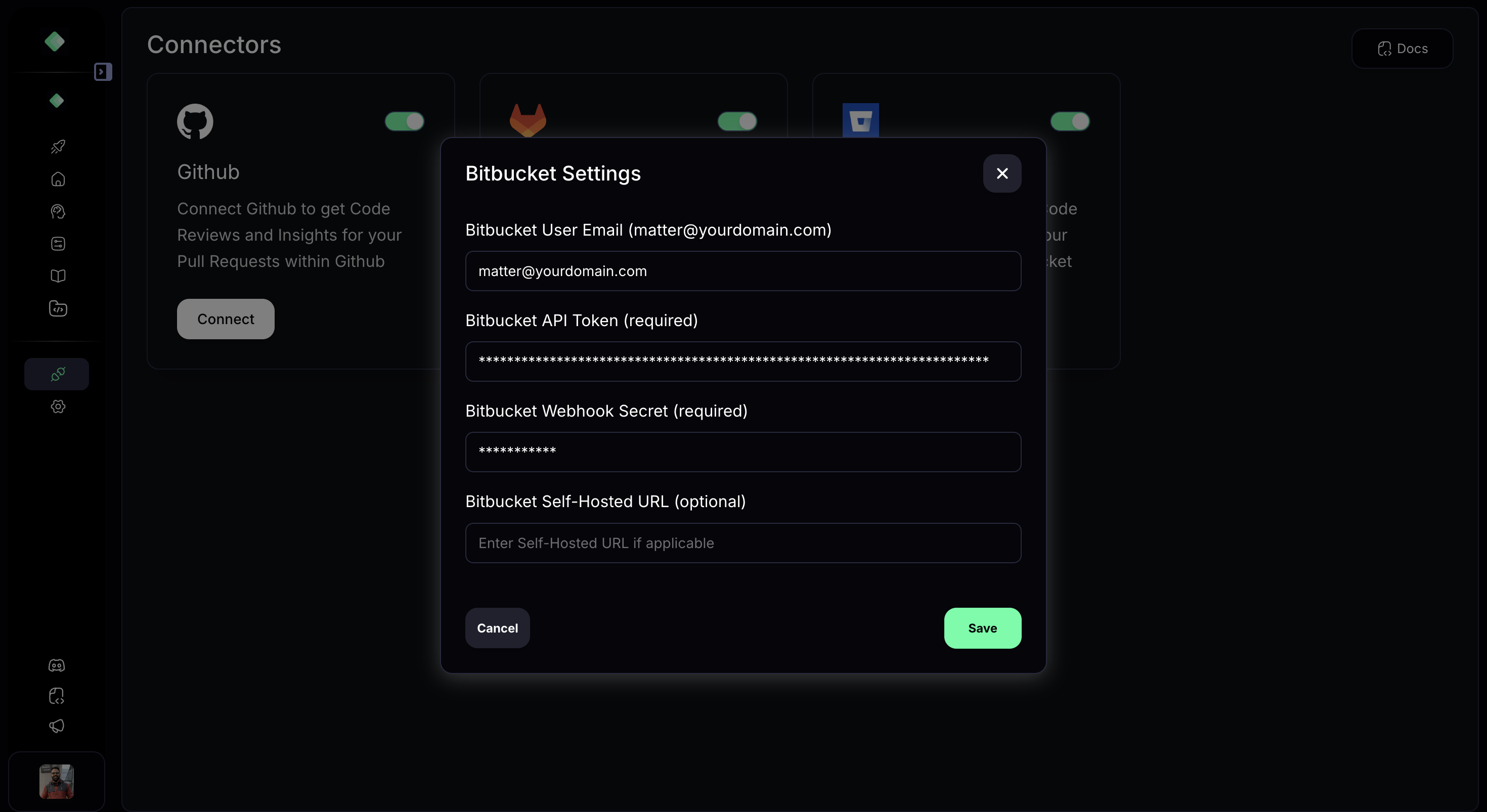
2. Enter the **Bitbucket User Email**(`user is the one you created API Token for`), **Bitbucket API Token** and **Webhook Secret Token** in the form.
3. Click on **Save**
4. You are all set! MatterAI will start processing your Pull Requests
## Step 5: Setup MatterAI Connector
1. Navigate to **MatterAI** -> **Connectors** -> **Bitbucket** and click on **Connect**. Console URL: [https://app.matterai.so/connectors](https://app.matterai.so/connectors)
2. Enter the **Bitbucket User Email**(`user is the one you created API Token for`), **Bitbucket API Token** and **Webhook Secret Token** in the form.
3. Click on **Save**
4. You are all set! MatterAI will start processing your Pull Requests
 ### AI Pull Request Summary
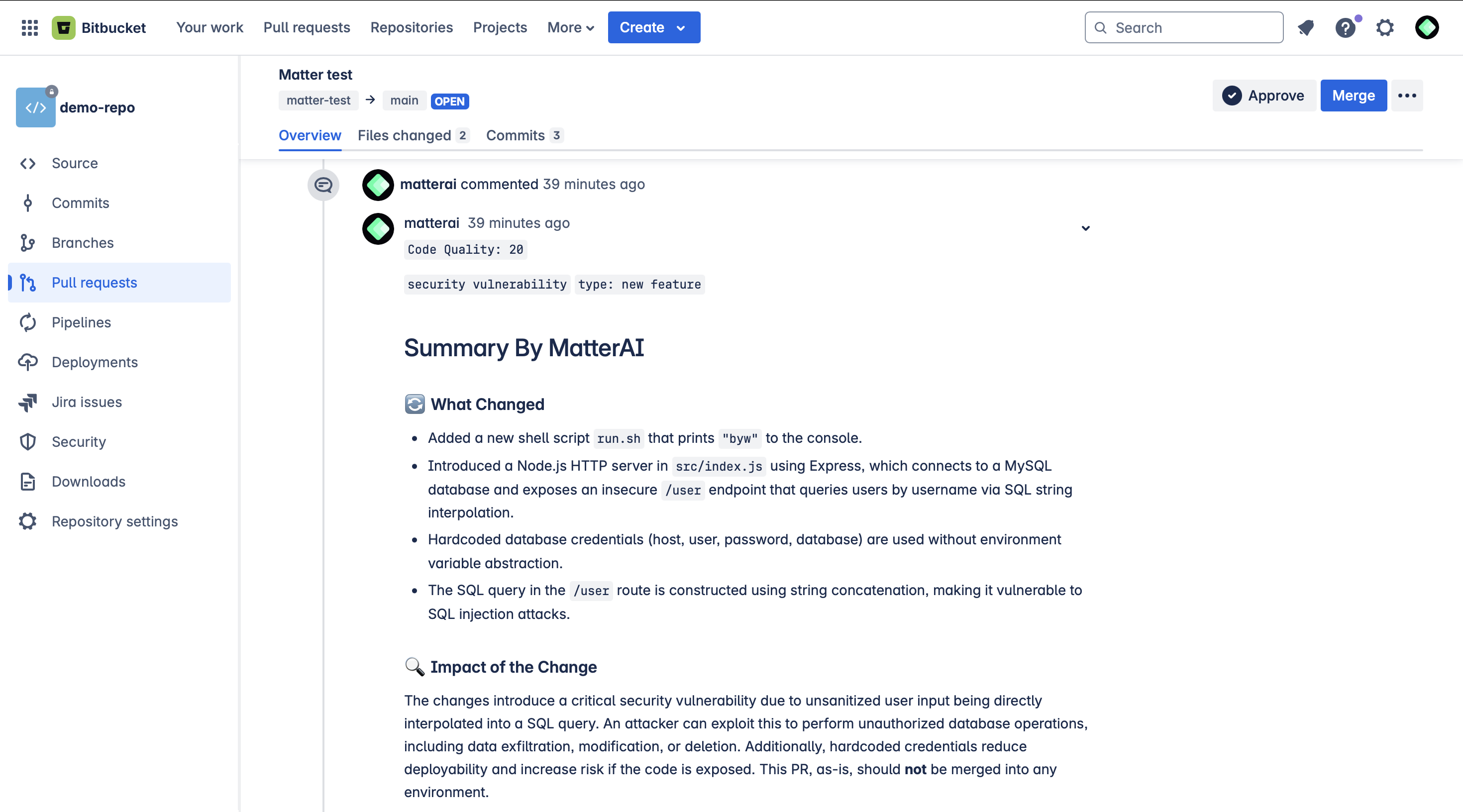
Get PR summaries in your Bitbucket pull requests, always upto date on all the commits.
### AI Pull Request Summary
Get PR summaries in your Bitbucket pull requests, always upto date on all the commits.
 Unlike Github/GitLab, Bitbucket does not support Mermaid Diagrams, so we are
not able to show them in the pull requests.
### AI Pull Request Code Reviews
Get PR code reviews in your Bitbucket pull requests, fix and code fix suggestion that you can apply with 1-click.
Unlike Github/GitLab, Bitbucket does not support mulit-line Review Comments,
so we are not able to show them in the pull requests.
Unlike Github/GitLab, Bitbucket does not support Mermaid Diagrams, so we are
not able to show them in the pull requests.
### AI Pull Request Code Reviews
Get PR code reviews in your Bitbucket pull requests, fix and code fix suggestion that you can apply with 1-click.
Unlike Github/GitLab, Bitbucket does not support mulit-line Review Comments,
so we are not able to show them in the pull requests.