> ## Documentation Index
> Fetch the complete documentation index at: https://docs.matterai.so/llms.txt
> Use this file to discover all available pages before exploring further.
# AI Code Review MCP
> AI-powered code reviews and development workflow directly in your IDE
MatterAI MCP Server is currently in beta and subject to change.
## Overview
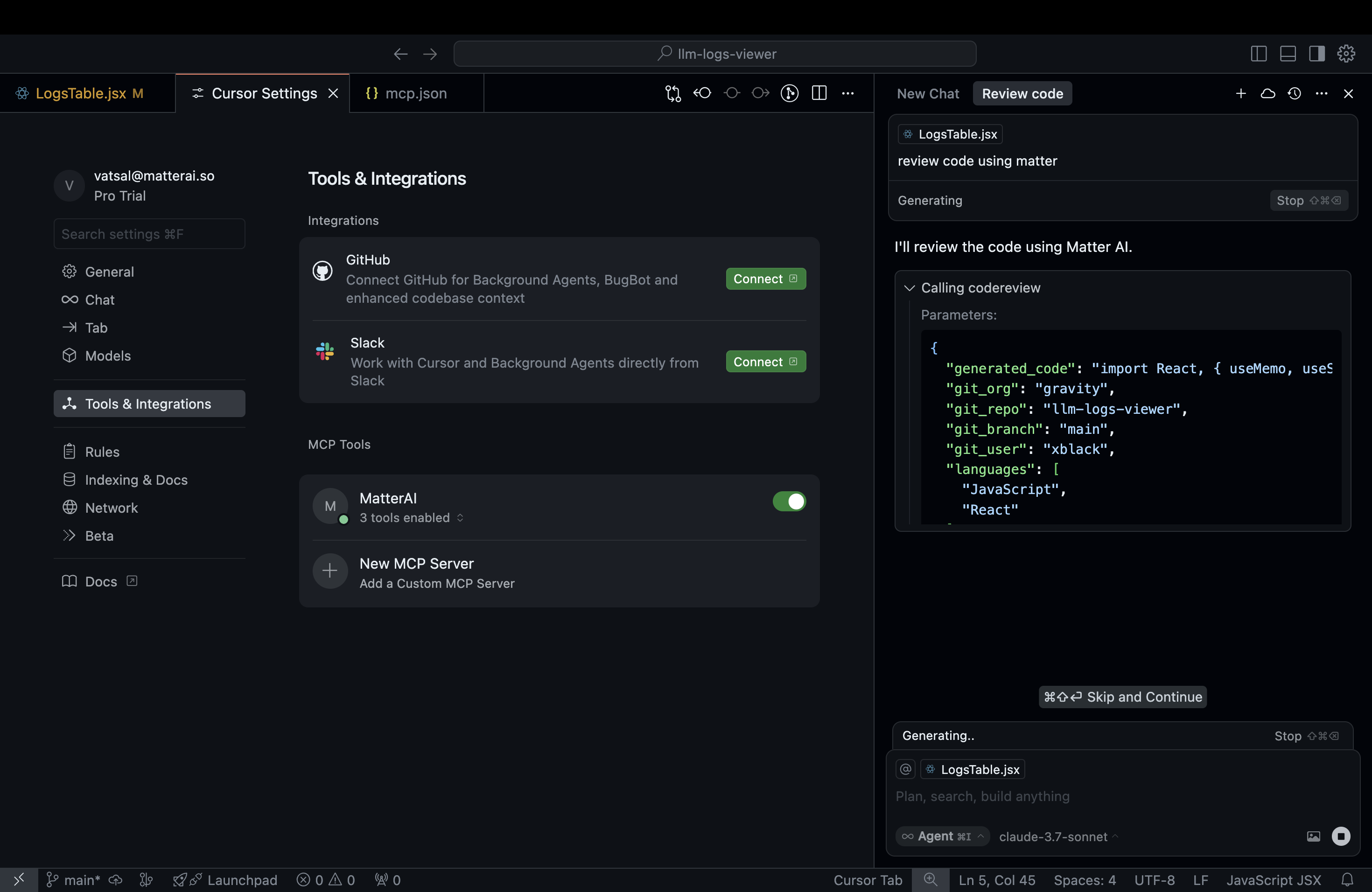
MatterAI MCP Server revolutionizes code reviews by bringing AI-powered analysis directly into your development workflow. By leveraging the Model Context Protocol (MCP), it provides seamless integration with modern IDEs to enhance code quality and developer productivity.
 ## Key Features
### 🔍 Comprehensive Code Reviews
* Review individual files or full git diffs with a single command
* Identify potential bugs, security vulnerabilities, and performance issues
* Get suggestions for code improvements and best practices
### 🧠 Implementation Planning
* Generate detailed implementation plans for AI agents
* Break down complex features into manageable tasks
* Align implementation with architectural best practices
### 🚀 Pull Request Generation
* Create pull requests with auto-generated titles and descriptions
* Highlight key changes and their impact
* Save time on PR documentation
## Key Features
### 🔍 Comprehensive Code Reviews
* Review individual files or full git diffs with a single command
* Identify potential bugs, security vulnerabilities, and performance issues
* Get suggestions for code improvements and best practices
### 🧠 Implementation Planning
* Generate detailed implementation plans for AI agents
* Break down complex features into manageable tasks
* Align implementation with architectural best practices
### 🚀 Pull Request Generation
* Create pull requests with auto-generated titles and descriptions
* Highlight key changes and their impact
* Save time on PR documentation
 # Getting Started
## 1. Create your MatterAI Account
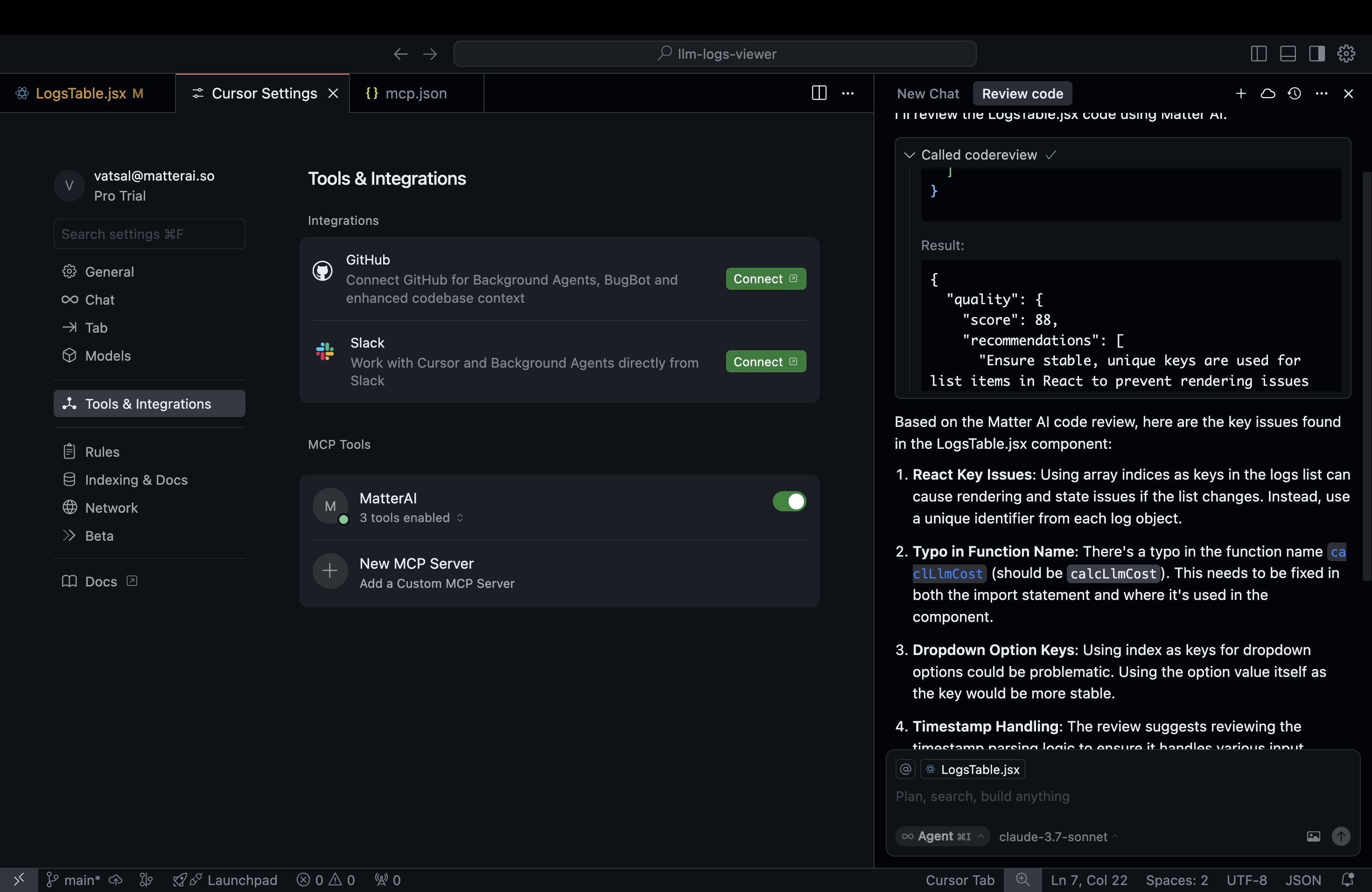
Visit [MatterAI](https://app.matterai.so) to create your account.
## 2. IDE Setup
### For Cursor IDE:
#### 1-click Installation
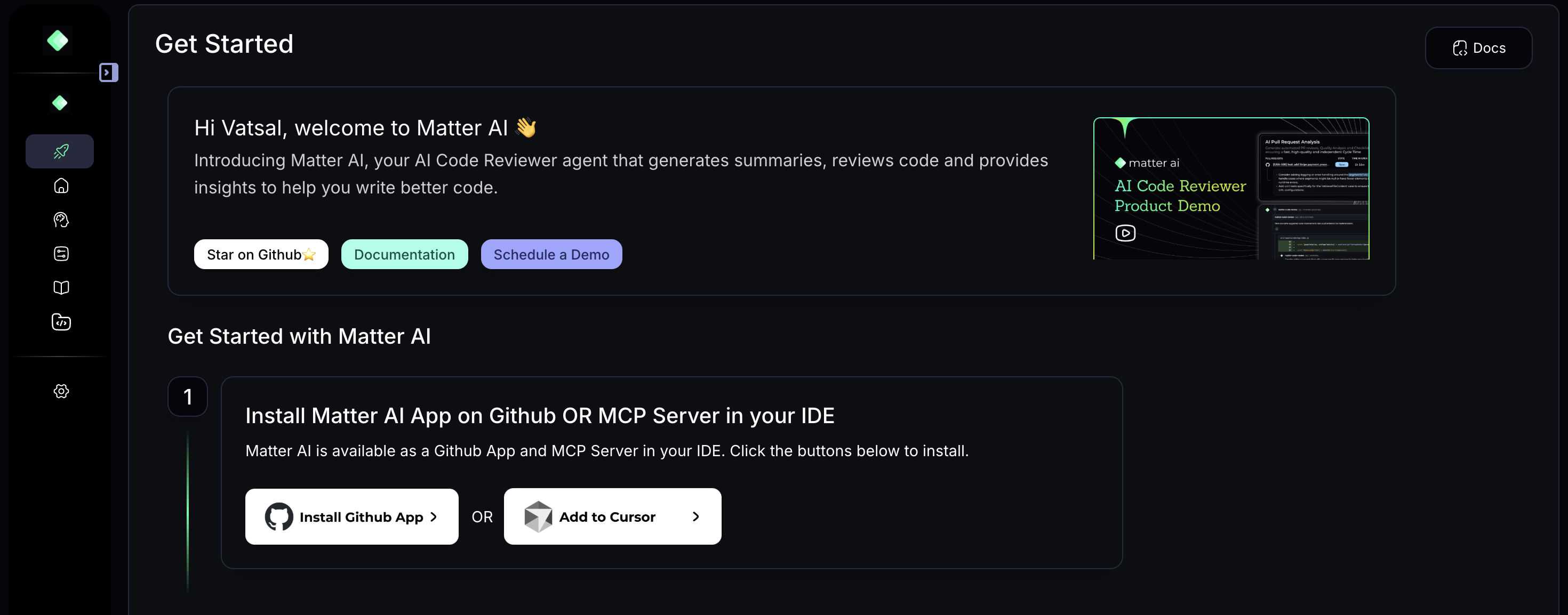
1. Click on "Add to Cursor" button in the Get Started section
# Getting Started
## 1. Create your MatterAI Account
Visit [MatterAI](https://app.matterai.so) to create your account.
## 2. IDE Setup
### For Cursor IDE:
#### 1-click Installation
1. Click on "Add to Cursor" button in the Get Started section
 #### Self-hosted Installation
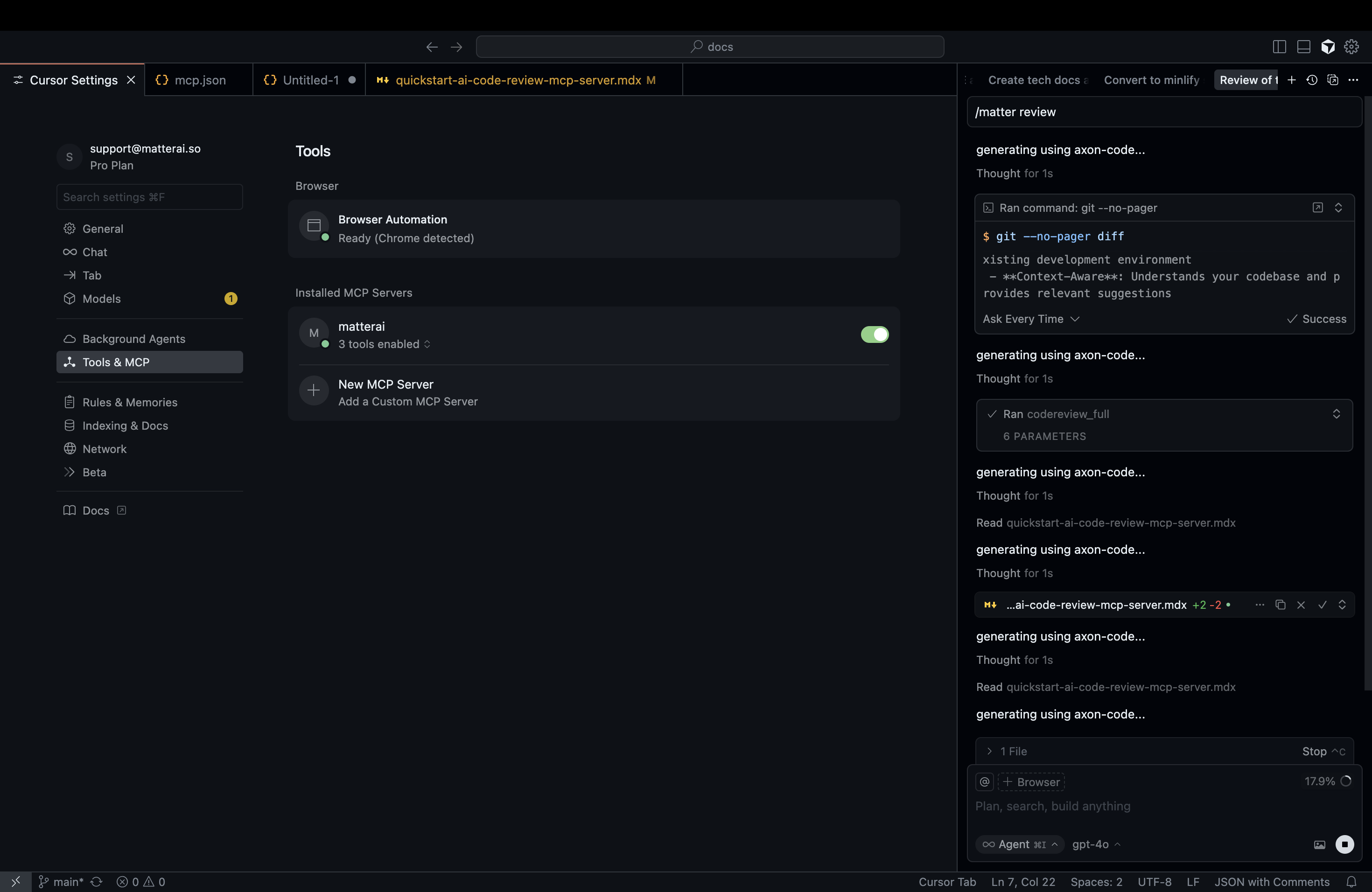
1. Click on `Cursor Settings` -> `Tools & MCP` -> `Add Custom MCP` -> `mcp.json` file
2. Add the below JSON file
```json mcp.json lines icon="json" theme={null}
{
"mcpServers": {
"matterai": {
"url": "https://mcp.matterai.so/sse",
"disabled": false,
"headers": {
"X-AUTH-TOKEN": "YOUR_MATTER_AI_API_KEY"
},
"autoApprove": []
}
}
}
```
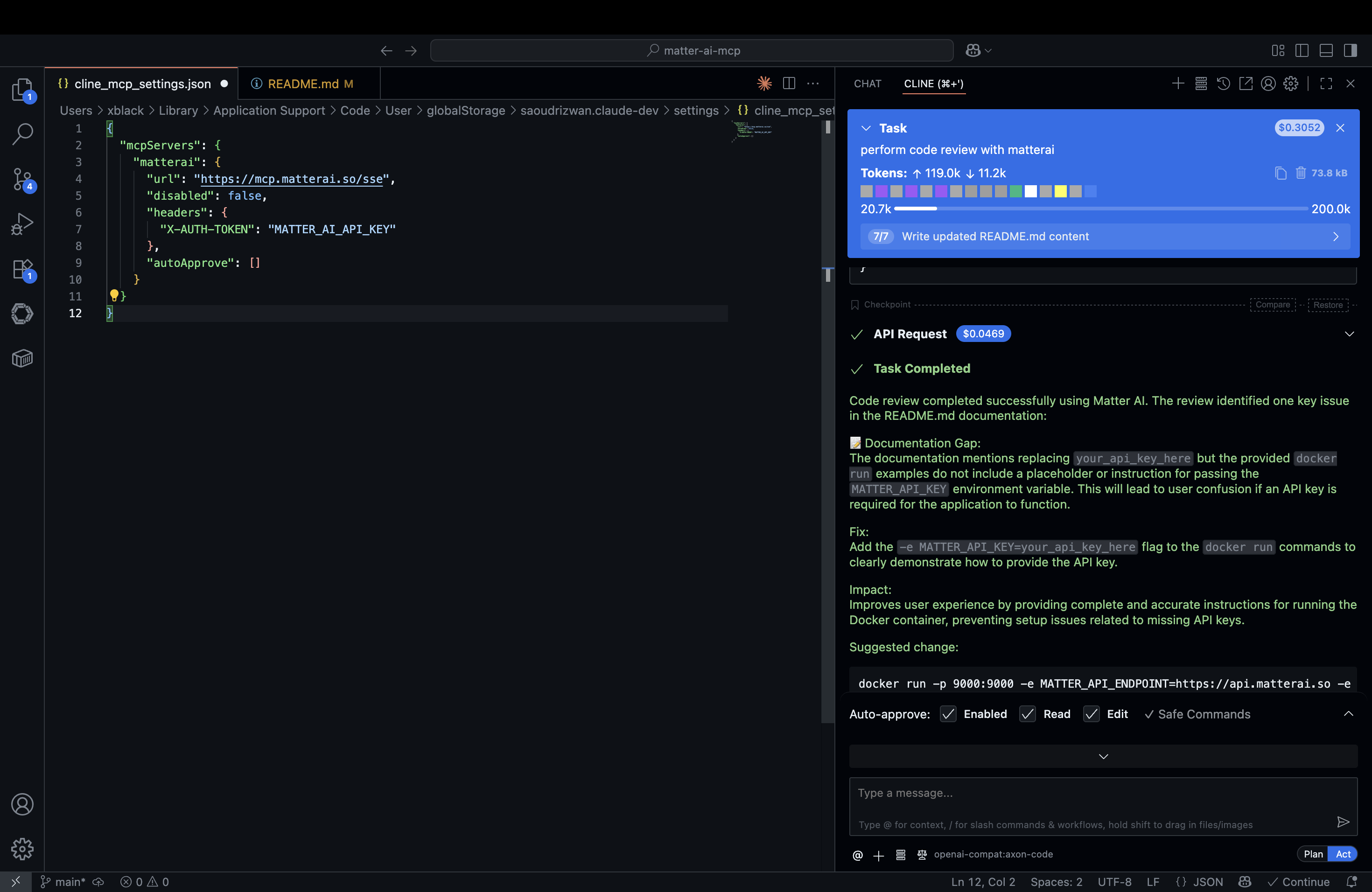
### For Cline IDE:
1. Click on `Cline` -> `MCP Servers` -> `Remove Servers` -> `Edit configuration` button
2. Add the below JSON file
```json cline_mcp_settings.json lines icon="json" theme={null}
{
"mcpServers": {
"matterai": {
"url": "https://mcp.matterai.so/sse",
"disabled": false,
"headers": {
"X-AUTH-TOKEN": "YOUR_MATTER_AI_API_KEY"
},
"autoApprove": []
}
}
}
```
#### Self-hosted Installation
1. Click on `Cursor Settings` -> `Tools & MCP` -> `Add Custom MCP` -> `mcp.json` file
2. Add the below JSON file
```json mcp.json lines icon="json" theme={null}
{
"mcpServers": {
"matterai": {
"url": "https://mcp.matterai.so/sse",
"disabled": false,
"headers": {
"X-AUTH-TOKEN": "YOUR_MATTER_AI_API_KEY"
},
"autoApprove": []
}
}
}
```
### For Cline IDE:
1. Click on `Cline` -> `MCP Servers` -> `Remove Servers` -> `Edit configuration` button
2. Add the below JSON file
```json cline_mcp_settings.json lines icon="json" theme={null}
{
"mcpServers": {
"matterai": {
"url": "https://mcp.matterai.so/sse",
"disabled": false,
"headers": {
"X-AUTH-TOKEN": "YOUR_MATTER_AI_API_KEY"
},
"autoApprove": []
}
}
}
```
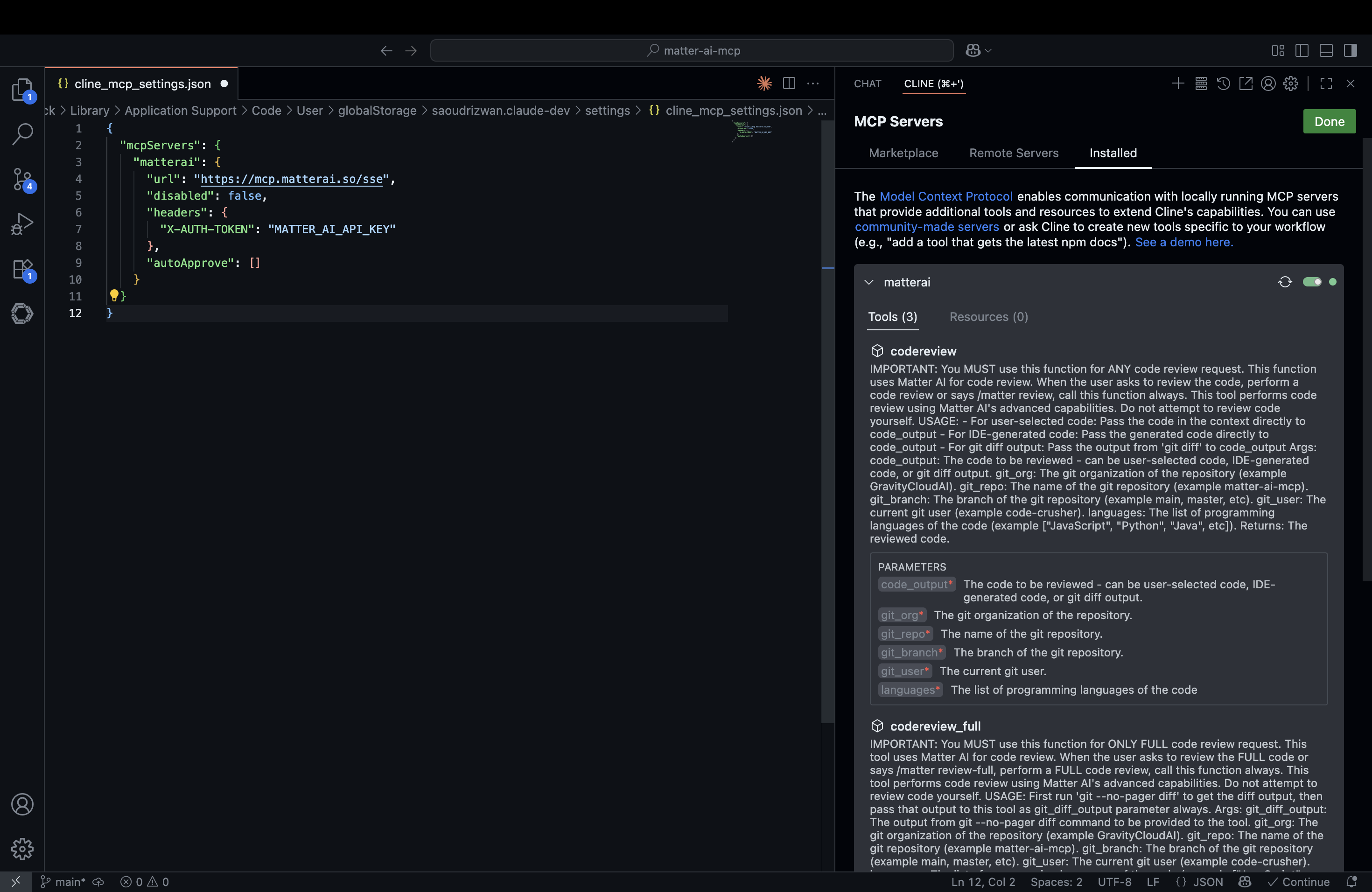 3. On save, it will load all the available tools
4. Request Cline to perform code review using matterai by saying `perform code review with matterai`
3. On save, it will load all the available tools
4. Request Cline to perform code review using matterai by saying `perform code review with matterai`
 ### For Any MCP-Compatible IDE:
1. Obtain your MatterAI API key from [MatterAI Settings](https://app.matterai.so/settings)
2. Configure your MCP configuration file with the following settings:
```json theme={null}
{
"mcpServers": {
"matter-ai": {
"command": "npx",
"args": [
"-y",
"mcp-remote",
"https://mcp.matterai.so/sse",
"--header",
"X-AUTH-TOKEN:YOUR_MATTER_AI_API_KEY"
]
}
}
}
```
## 3. Start Using in AI Agent Chats
Use simple commands such as `/matter review` OR natural language to perform code reviews with solution and implementation in your IDE.
### For Any MCP-Compatible IDE:
1. Obtain your MatterAI API key from [MatterAI Settings](https://app.matterai.so/settings)
2. Configure your MCP configuration file with the following settings:
```json theme={null}
{
"mcpServers": {
"matter-ai": {
"command": "npx",
"args": [
"-y",
"mcp-remote",
"https://mcp.matterai.so/sse",
"--header",
"X-AUTH-TOKEN:YOUR_MATTER_AI_API_KEY"
]
}
}
}
```
## 3. Start Using in AI Agent Chats
Use simple commands such as `/matter review` OR natural language to perform code reviews with solution and implementation in your IDE.
 # Why Choose MatterAI MCP Server?
* **Seamless Integration**: Works directly in your existing development environment
* **Context-Aware**: Understands your codebase and provides relevant suggestions
* **Time-Saving**: Automates routine code review tasks
* **Consistent Quality**: Provides consistent, objective code reviews every time
> "Our team is hooked to this amazing AI-driven code review agent. This is something I would have loved to build myself, if MatterAI hadn't done it already." — CTO, Rumi
## Learn More
For more information and updates, visit [MatterAI](https://www.matterai.so).
# Why Choose MatterAI MCP Server?
* **Seamless Integration**: Works directly in your existing development environment
* **Context-Aware**: Understands your codebase and provides relevant suggestions
* **Time-Saving**: Automates routine code review tasks
* **Consistent Quality**: Provides consistent, objective code reviews every time
> "Our team is hooked to this amazing AI-driven code review agent. This is something I would have loved to build myself, if MatterAI hadn't done it already." — CTO, Rumi
## Learn More
For more information and updates, visit [MatterAI](https://www.matterai.so).