

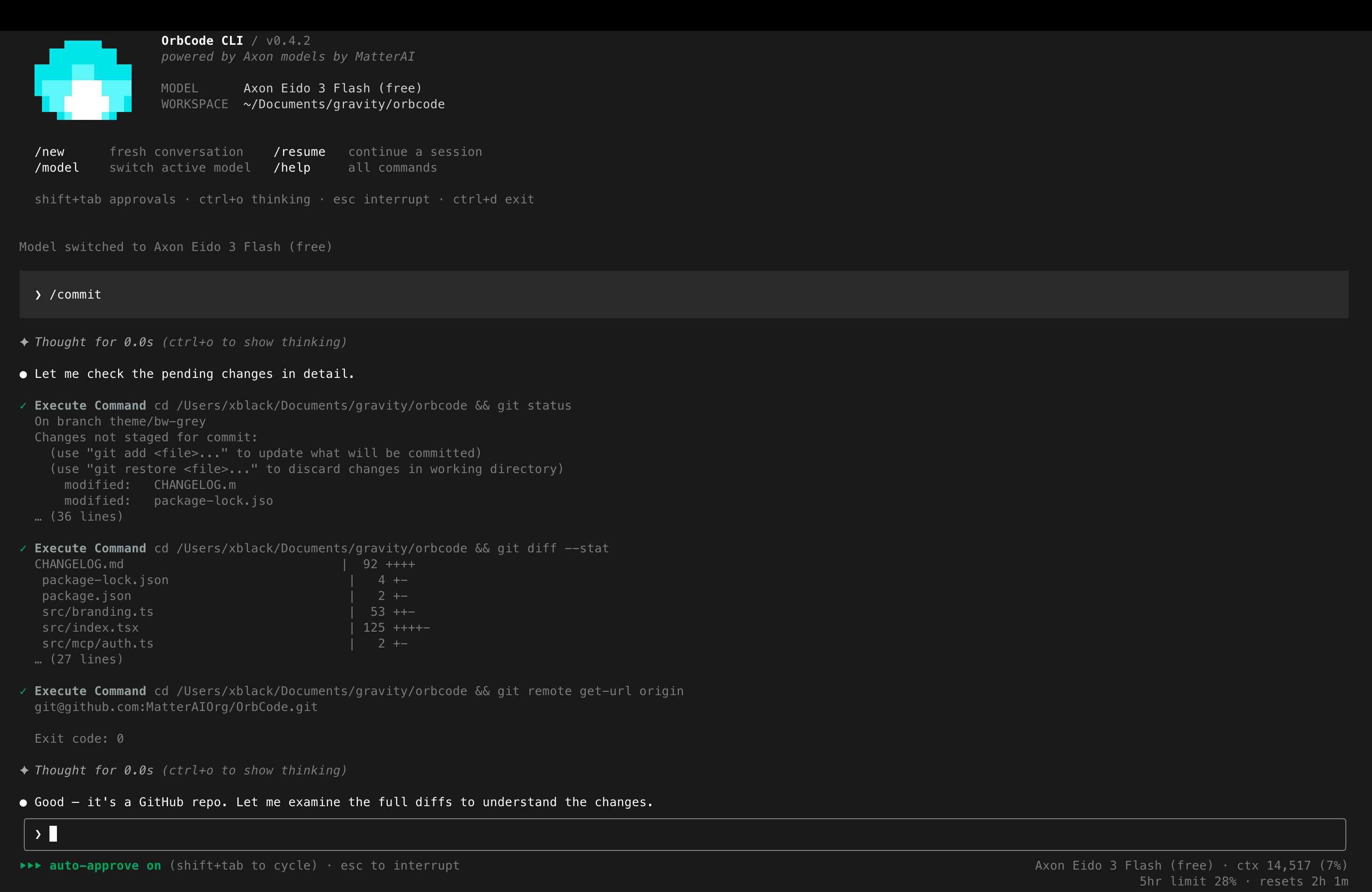
Why OrbCode CLI
- Agentic in the terminal — read, edit, search, and run commands across your whole workspace without leaving the shell.
- Same Axon models as Orbital —
axon-eido-3-code-pro,axon-eido-3-code-mini,axon-code-2-5-pro, andaxon-code-2-5-mini, with native JSON tool calls and image input. - Multi-provider — route to Anthropic Claude models or any OpenAI-compatible endpoint via the Vercel AI SDK, reusing the same agent loop, tools, and approvals.
- MCP servers — connect external tools through the Model Context Protocol; servers appear as
mcp__<server>__<tool>and can be called by the model. - Skills & AGENTS.md memory — load reusable instruction sets on demand, and inject project/user instructions into every system prompt. The repo-level file lives at
.orb/AGENTS.md, the same folder the Orbital IDE reads. - Linked repositories (
/link) — point this repo at other repos on your machine so a change here is checked for impact on (or propagated to) them. Links live in the shared.orb/links.json. /init— analyze the codebase and write a concise.orb/AGENTS.mdfor cold-start, ~150 lines covering project structure, architecture, business-logic mapping, and code patterns/conventions.- Streaming TUI — markdown rendering, live reasoning under a collapsible “Thinking” block, and per-tool activity rows with diffs.
- Approvals & safety — read-only tools run freely; file edits and commands prompt first, and dangerous commands can never be auto-approved.
- Headless mode — pipe a single prompt with
-pfor scripts and CI. - Claude-Code-compatible hooks — block, auto-approve, rewrite, or inject context at fixed points in the agent loop.
Install OrbCode CLI
Get the CLI running in under a minute
Usage & Commands
Slash commands, shortcuts, and headless mode
Configuration
settings.json, env vars, and custom models
MCP servers
Connect external tools through the Model Context Protocol
Skills & memory
Reusable instruction sets and AGENTS.md project memory
Hooks
Block, auto-approve, rewrite, or inject context at fixed points
View on GitHub
Source code, issues, and releases
Quick start
Requires Node.js >= 20.orbcode login (browser device flow), or set an API key in ~/.orbcode/settings.json. See Install for details.
Models
The Axon models are built in;/model opens a scroll-and-select picker. Additional models can be declared via customModels in settings.json. The choice persists across sessions.
axon-eido-3-code-mini is the default. All four support native JSON tool calls and image input. Cost comes from the API’s usage chunks and is shown in the status bar.
Other providers
AcustomModels entry that sets a provider is served through the Vercel AI SDK instead of the MatterAI gateway, reusing the same agent loop, tools, and approvals. Auth is the provider’s own key (env var or apiKey), not the MatterAI login.
provider: "anthropic"→ native/v1/messages. Built-in Claude models (Opus 4.8/4.7/4.6, Sonnet 4.6, Haiku 4.5, Fable 5) work headlessly via--model claude-…without a settings entry. Key fromANTHROPIC_API_KEY.provider: "openai-compatible"→ any OpenAI-compatible endpoint; requiresbaseUrl. Key fromapiKeyon the entry.
customModels schema.
The TUI
- Streaming responses rendered as markdown (headers, lists, code fences, inline code, links) via a lightweight ANSI renderer.
- Thinking — reasoning streams live under
✦ Thinking…and collapses to✦ Thought for Nswhen done.Ctrl+Otoggles expanded thinking. - Tool rows — each tool call shows a formatted name, a one-line summary, live “running” state, then
✓/✗with a short result preview. - Edit diffs — file-modifying tools render a real diff with a stats header and red/green backgrounds, both in the approval prompt and the finished tool row.
- Tasks — the model maintains a checklist via
update_todo_list, rendered as a compact Tasks panel. - @-references — type
@in the input to fuzzy-search workspace files. - Status bar — approval mode, busy state, model name, context token usage, and session cost.
Approvals & safety
Read-only tools (read/list/search/web/todos) run without prompting. Mutating tools prompt first:- File edits — prompt shows the target;
yallow once,ndeny,aallow for the rest of the session. - Commands — prompt shows the exact command line. Dangerous commands (deletes, force-pushes, system changes) can never be auto-approved.
Headless mode
--yolo, edit/command approvals are auto-denied (read-only analysis). Errors go to stderr.
MCP servers, skills & memory
- MCP servers — OrbCode connects to external tools via the Model Context Protocol. Servers are configured in three scopes (user, project
.mcp.json, local) and their tools appear alongside the native tools asmcp__<server>__<tool>. Manage them with theorbcode mcpsubcommand or the/mcpslash command. See the MCP servers page. - Skills — reusable instruction sets the model loads on demand. Place a
SKILL.mdunder~/.orbcode/skills/(user) or.orbcode/skills/(project); the catalog is injected into the system prompt anduse_skillloads the full body when a task matches. See the Skills & memory page. - AGENTS.md memory — project- and user-level instructions (build commands, code style, conventions) injected into every system prompt. OrbCode’s equivalent of Claude Code’s
CLAUDE.md, using the openAGENTS.mdfilename. The repo-level file lives at.orb/AGENTS.md— the same folder the Orbital IDE reads, so a single source of truth covers terminal and editor. Use/initto generate or refine a starter file. - Linked repositories (
/link) — link other repos on your machine by folder path (absolute,~/path, or relative to the project). Links are persisted in.orb/links.json(also read by the IDE), and each linked repo’sAGENTS.mdis pulled in ahead of time so the model can see and act on it.
The folder OrbCode creates in a project for
AGENTS.md and links.json is
.orb/ — a single, tool-neutral name shared with the Orbital IDE
extension. Machine settings (~/.orbcode, <repo>/.orbcode/settings.json)
are unchanged. See the Configuration page.Architecture
OrbCode CLI faithfully ports the Orbital extension’s tool schemas, system prompt, and streaming handler quirks. Requests carry extension-compatible headers (X-AxonCode-Version, X-AxonCode-TaskId, X-AXON-REPO), and usage data is fetched from the same /axoncode/profile endpoint as the extension.
OrbCode CLI is open source under the MIT license. The full hooks reference
lives on the Hooks page.