

Installation
1
Sign up on MatterAI
Sign up on MatterAI here: https://app.matterai.so
2
Connect your Github account
Connect your Github account at Get Started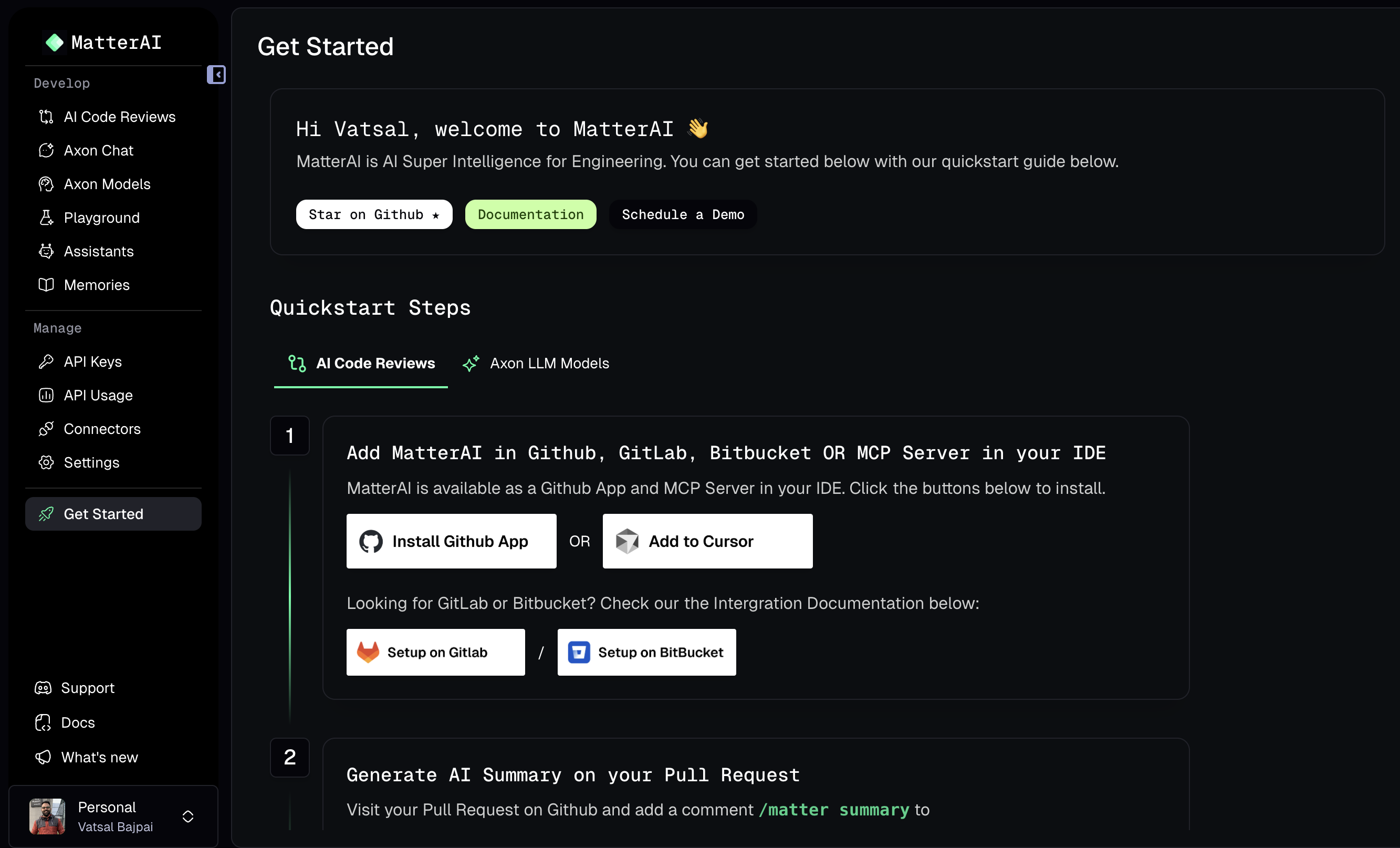
3
Login via Github
Click on the 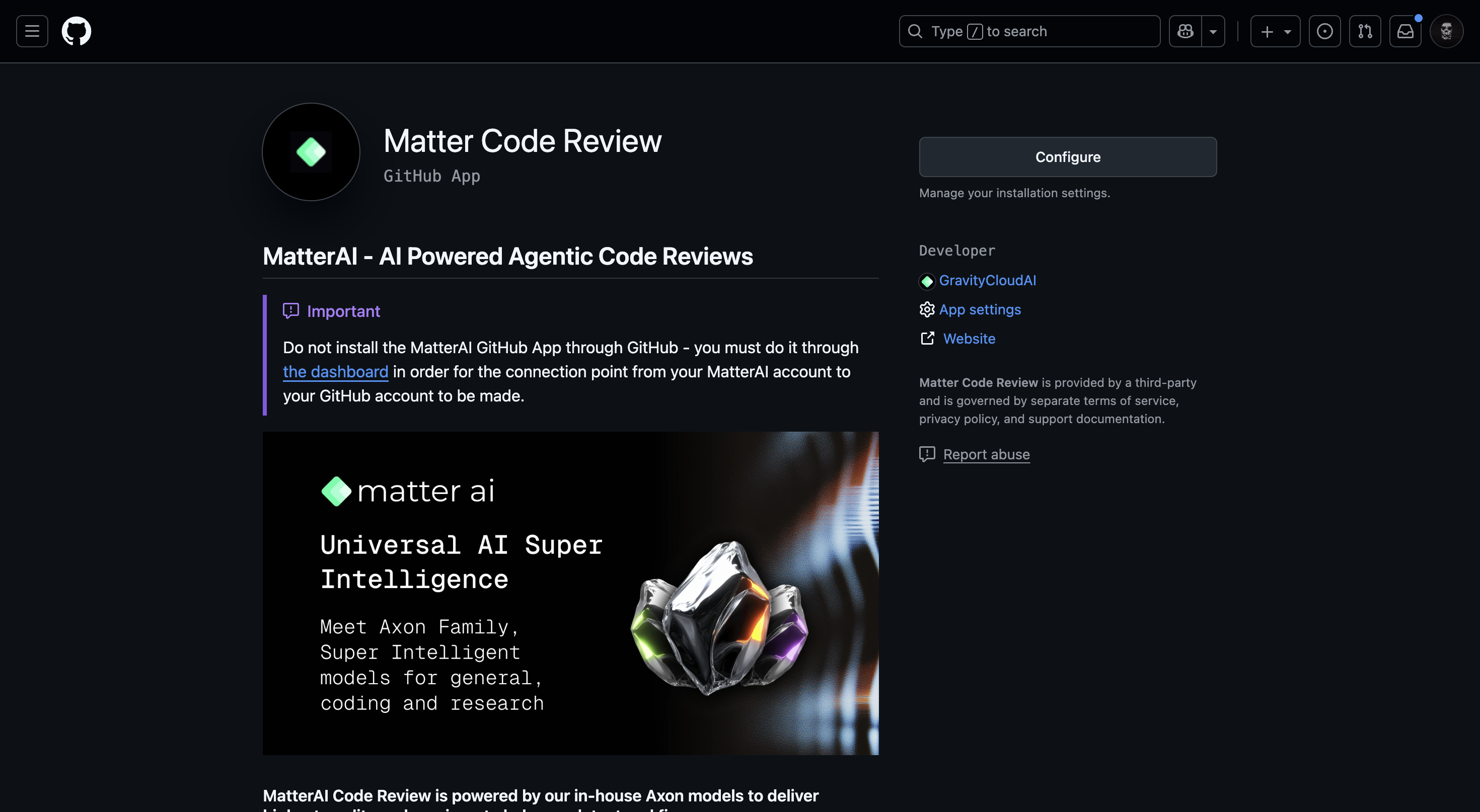
Connect button to install the agent on your Organization. After authenticating with Github, you can Click on Configure button to install the official app.4
Select the Organization
Select the Organization you want to install the agent on.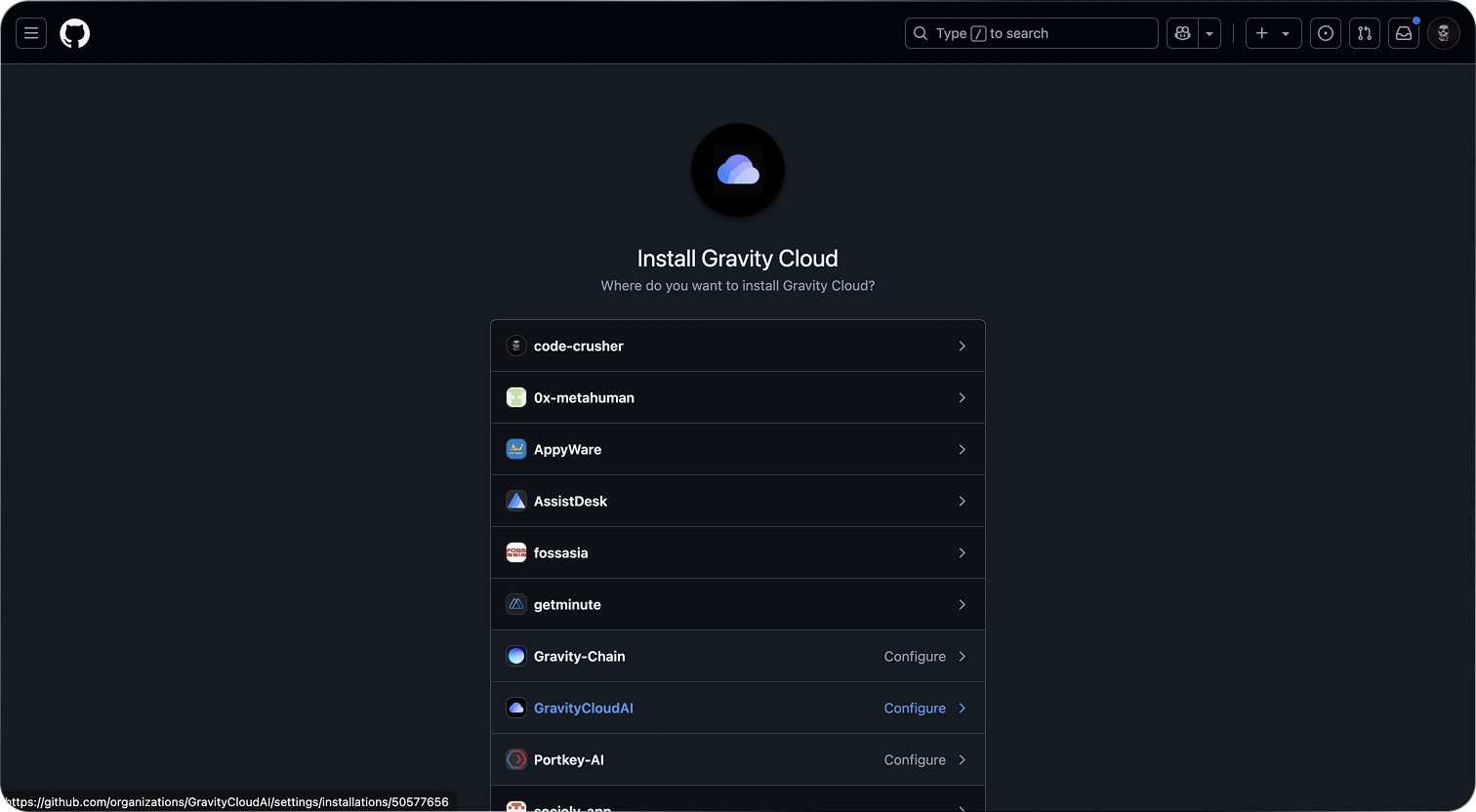
5
Select the repositories
Select the repositories you want to analyze.
6
Refresh the MatterAI Home Page
After 2-3 mins, refresh the MatterAI Home Page to see the agent installed.
The first sync with Github might take a few minutes to complete.
7
View the Team Dashboard
Click on the 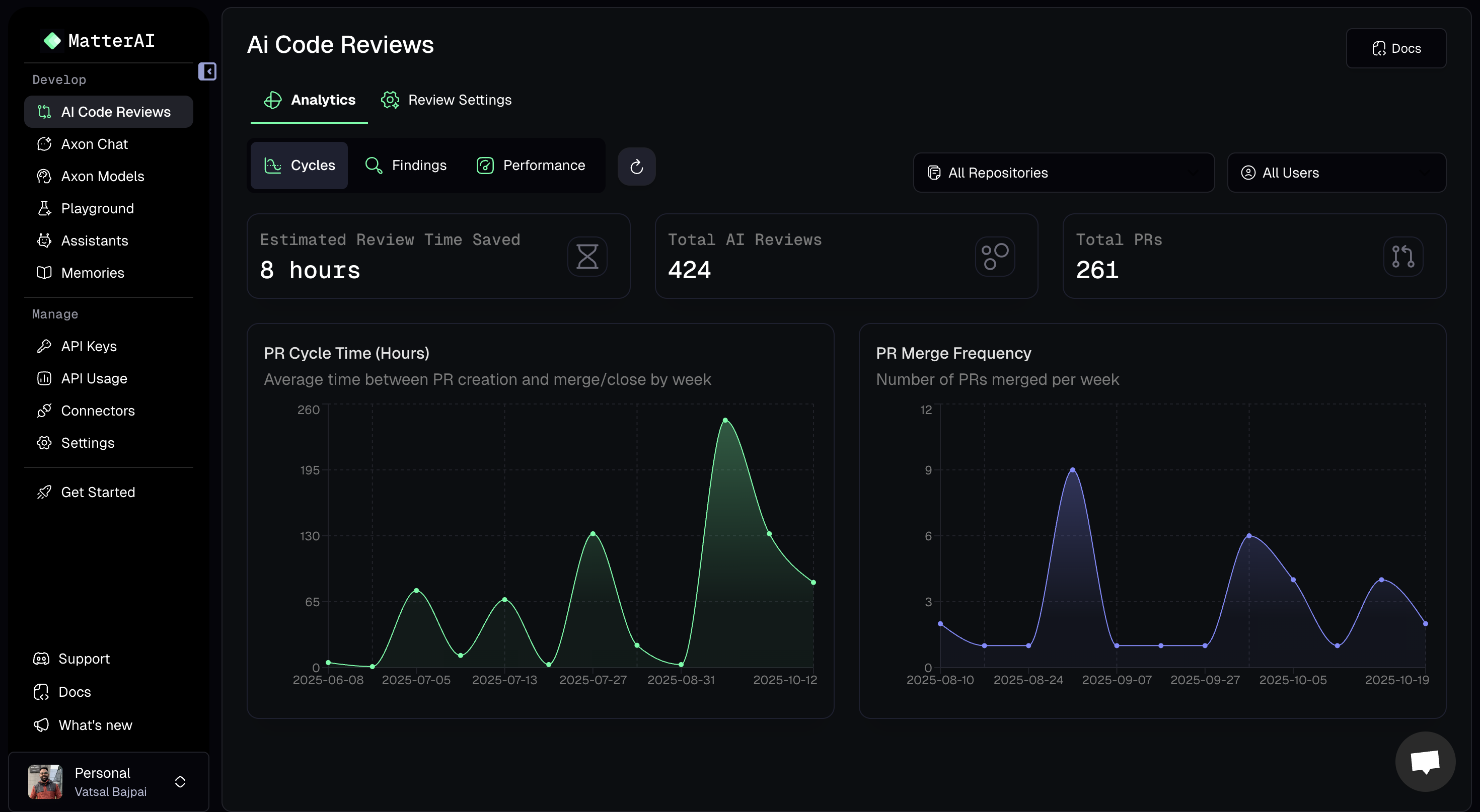
Team Dashboard to view all the Pull Requests8
Create a new Pull Request
Agent only analyzes Pull Requests that are
created OR edited after the app is installed.Self Hosted Installation
You can self host the Github App to comply with your security policies using our Open Source Integrator and install theHelm Chart in your Kubernetes cluster: https://github.com/MatterAIOrg/wave