

All Pricing and Features are same on Azure DevOps as on GitHub
MatterAI Azure DevOps Integration
MatterAI seamlessly integrates with Azure DevOps to enhance your development workflow by:- Automatically initiating AI-powered code reviews for new pull requests
- Displaying intelligent review comments directly within pull requests
- Providing real-time assistance through the MatterAI integration
Step 1: Create a Personal Access Token
- Log in to your Azure DevOps organization
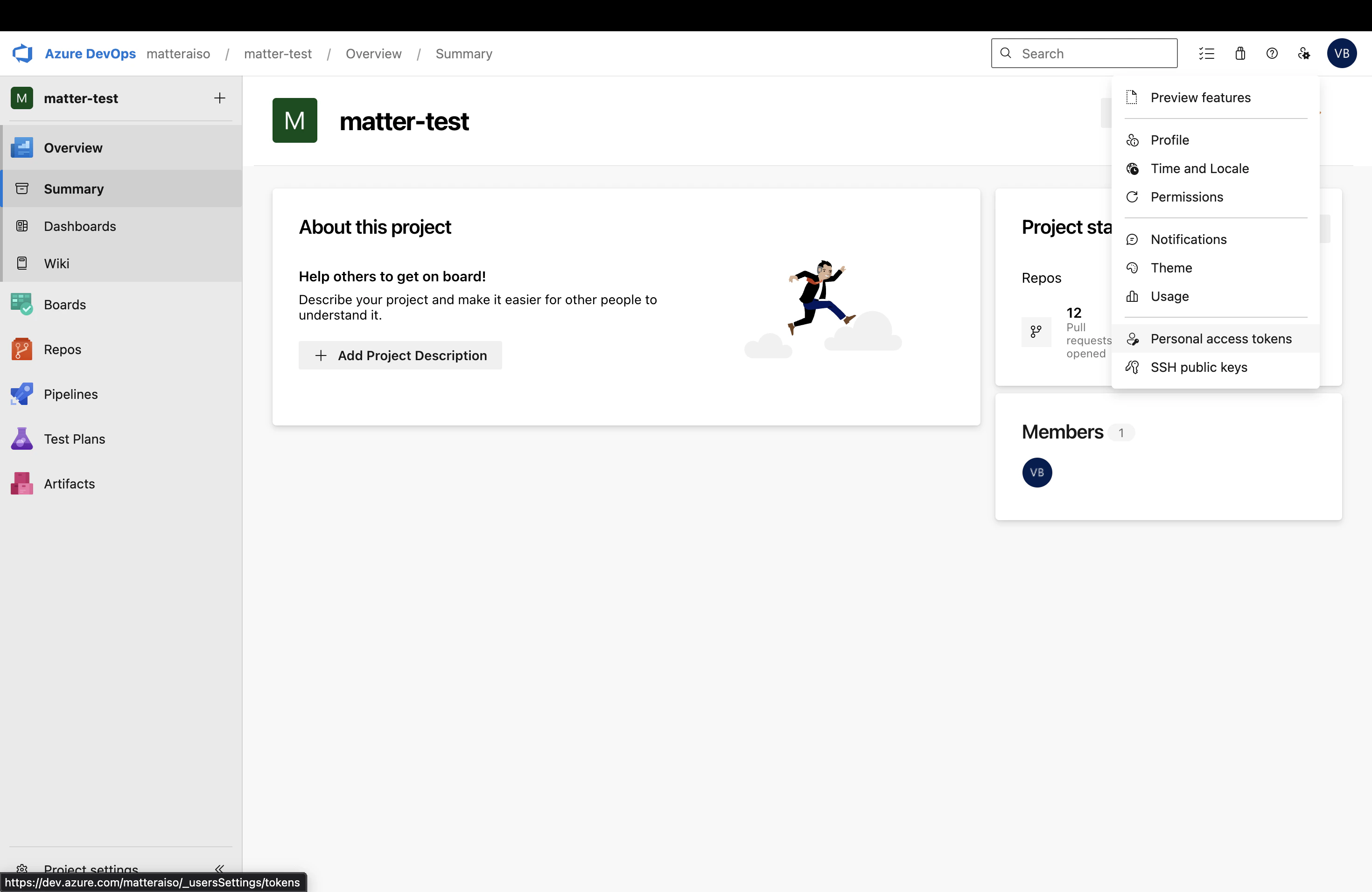
- Click on your profile picture in the top right corner and select Personal Access Tokens
- Click + New Token
- Enter a descriptive name (e.g., “MatterAI Integration”)
- Set an expiration date for the token
- Select the organization where you want to use this token
Step 2: Configure Token Scopes
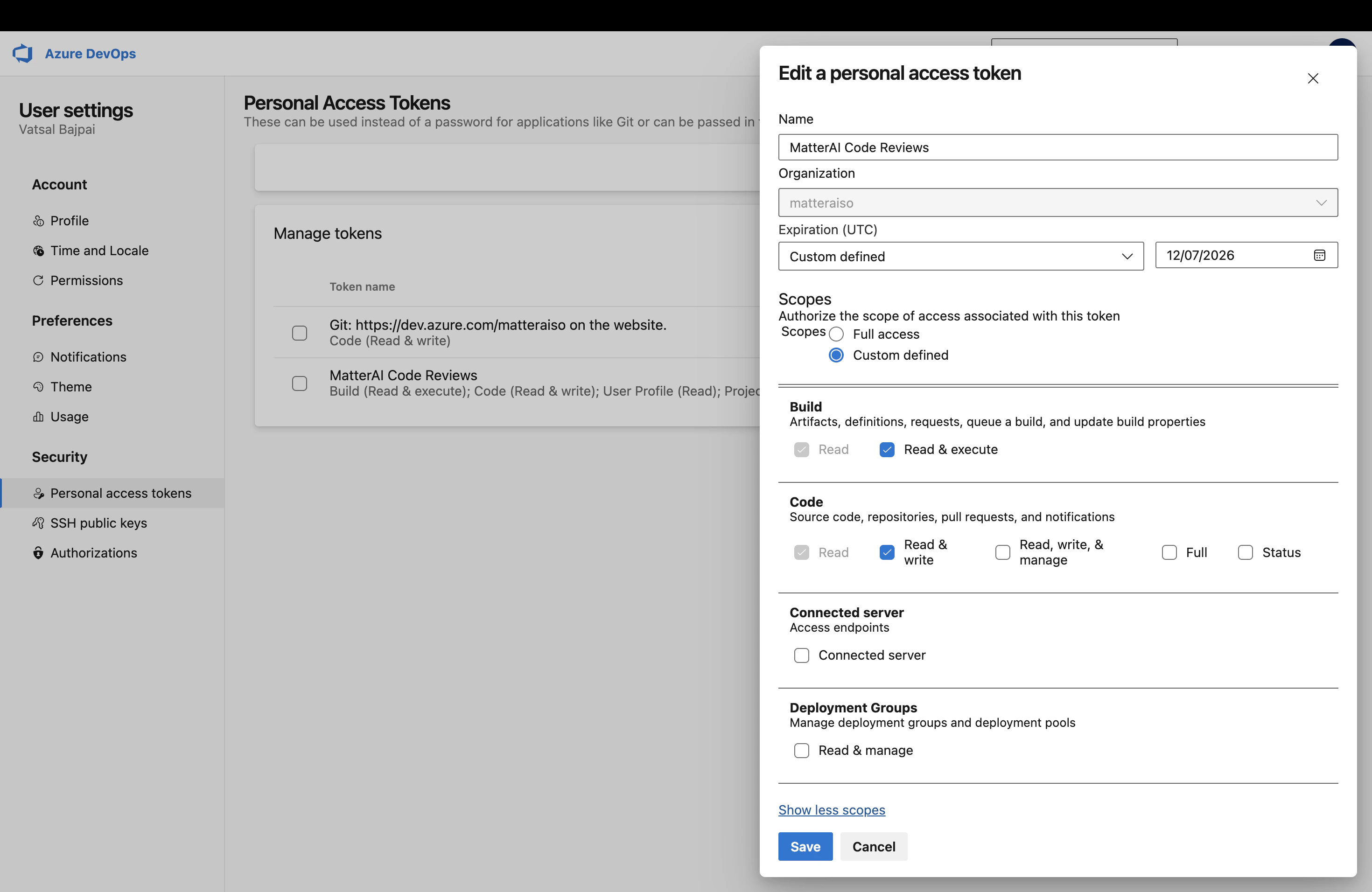
Select the following scopes for your Personal Access Token:- Build: Read & Execute
- Code: Read & Write
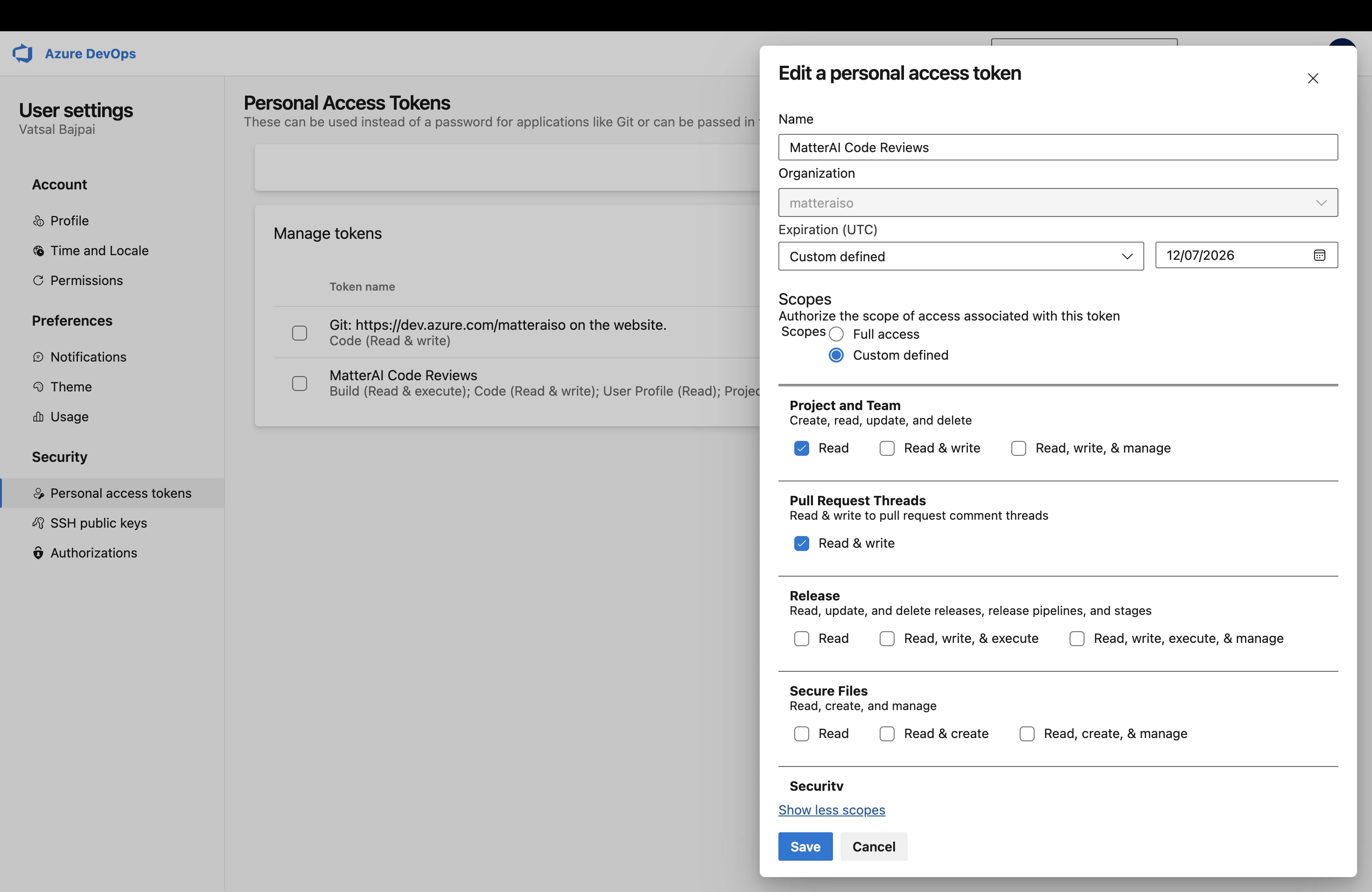
- Pull Request Threads: Read & Write
- Project and Team: Read
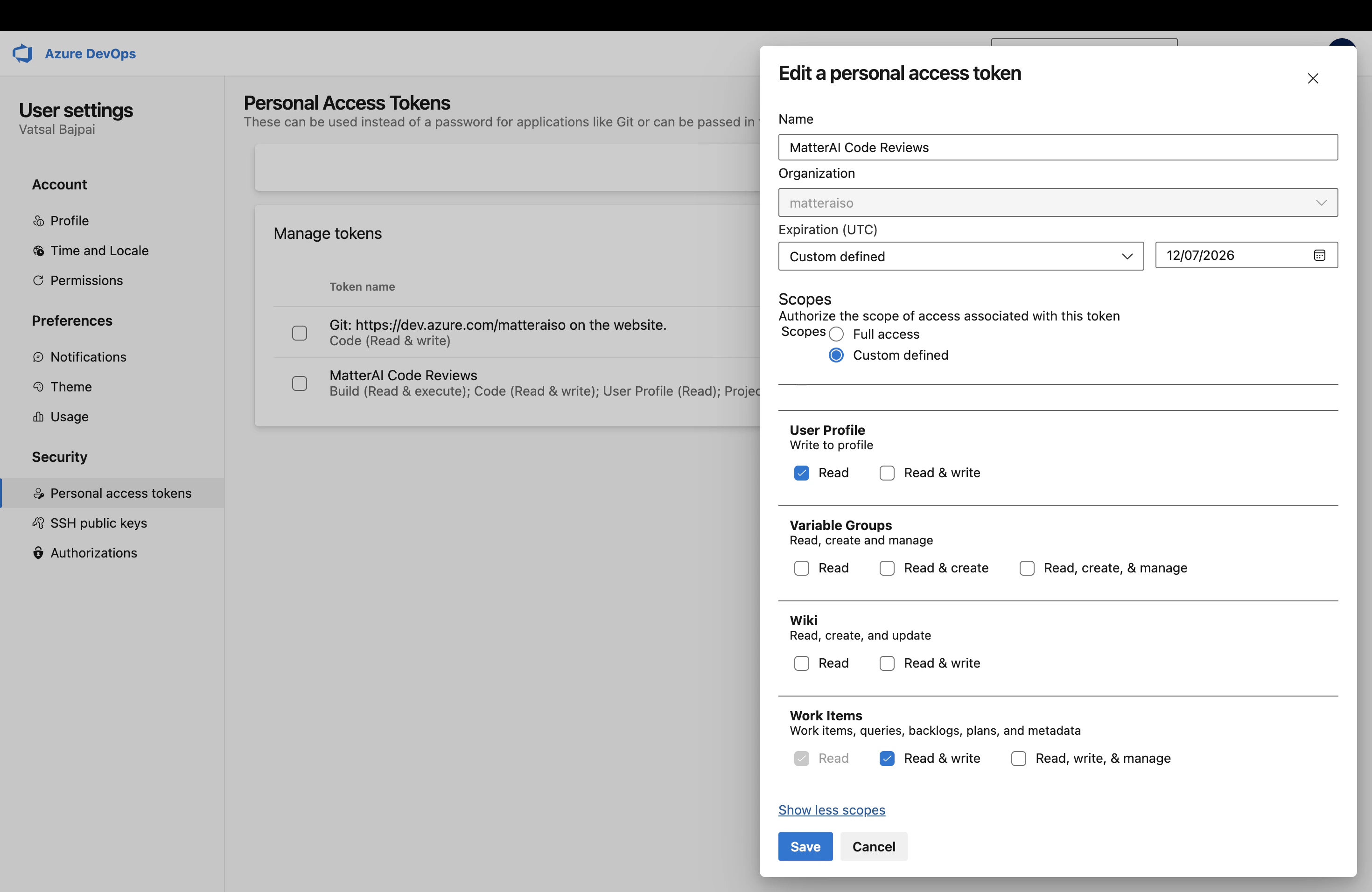
- User Profile: Read
- Work Items: Read & Manage
Make sure to copy and securely save your Personal Access Token immediately
after creation, as it will not be shown again.
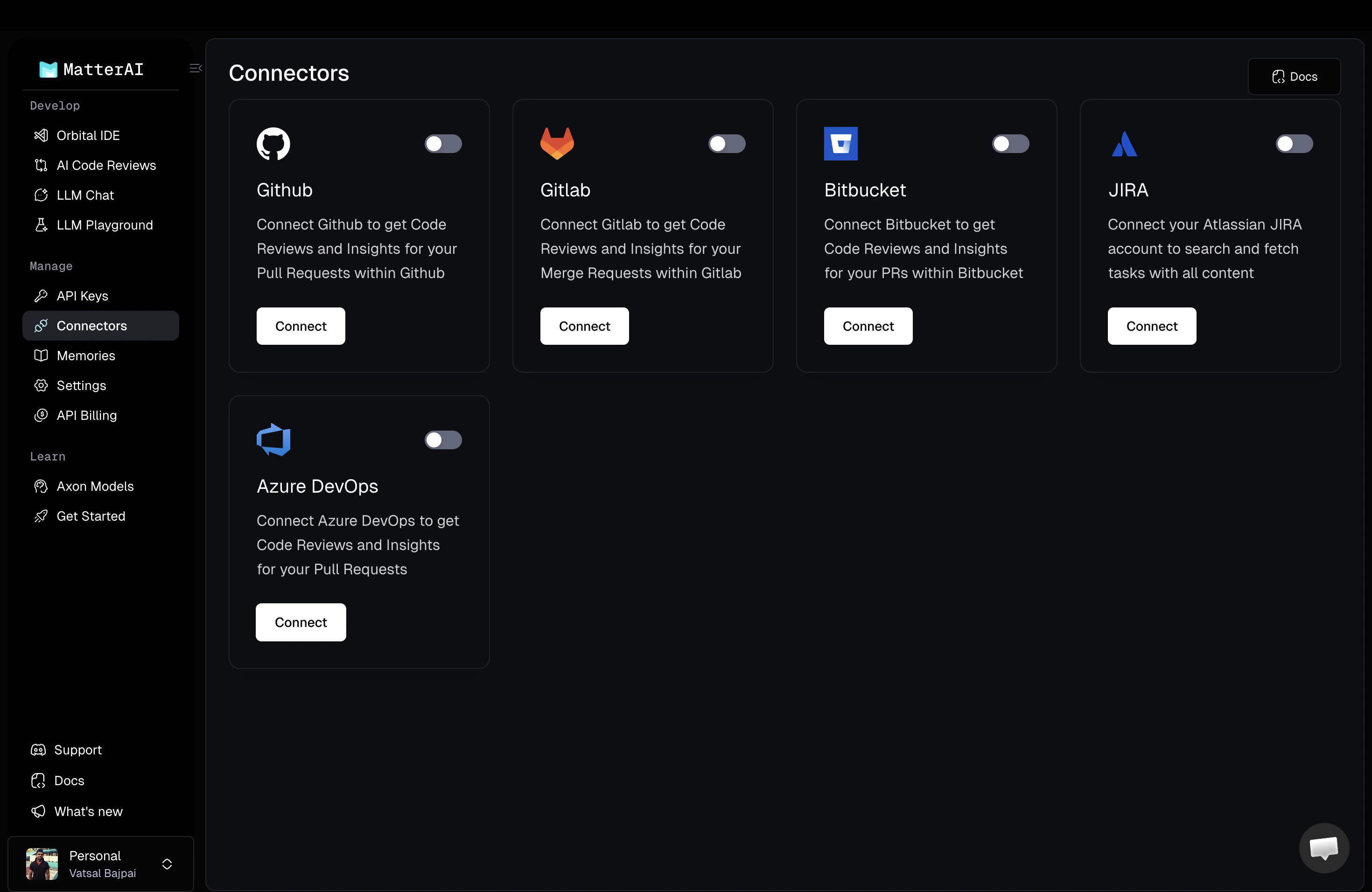
Step 3: Connect to MatterAI
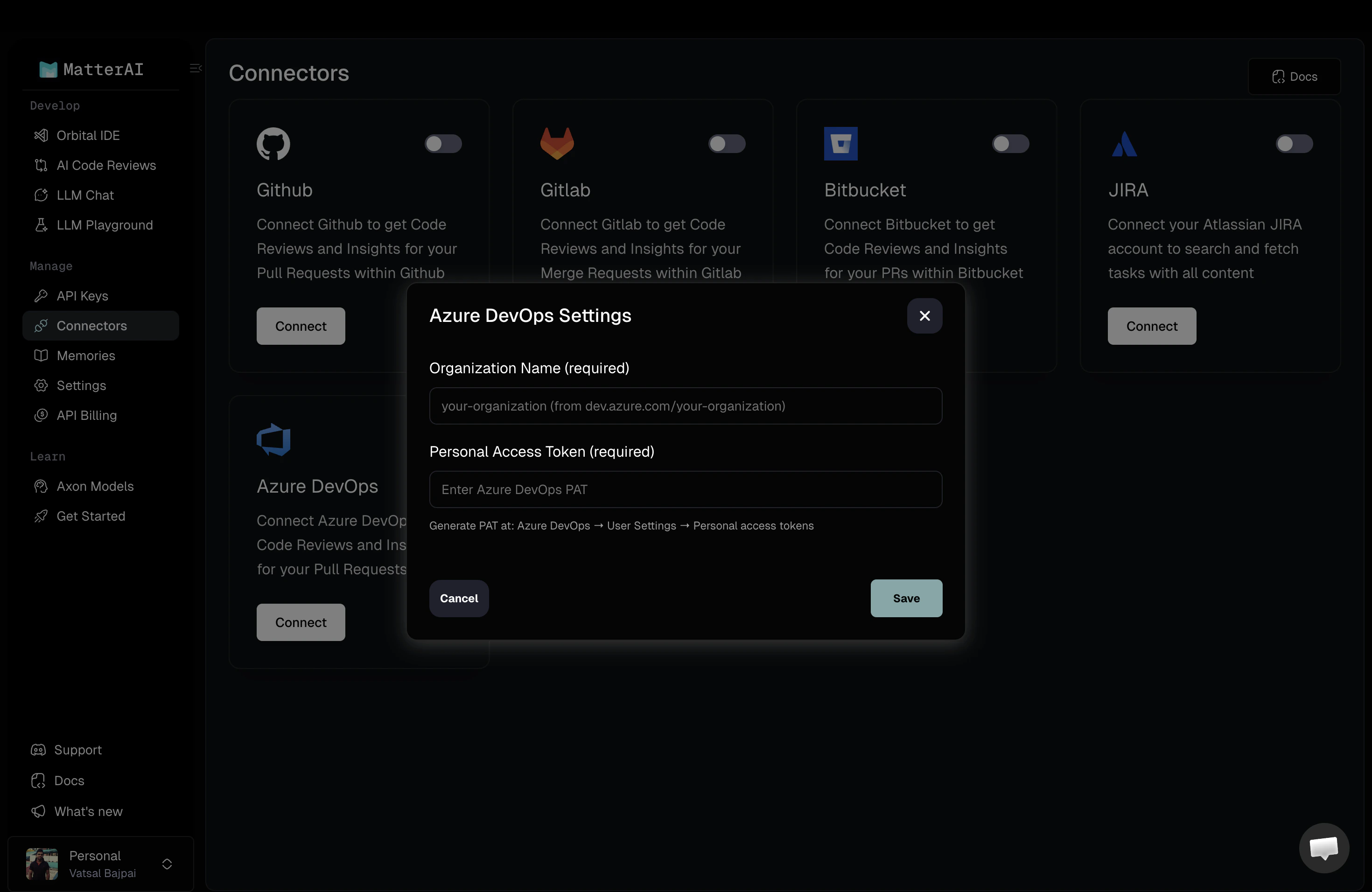
- Navigate to MatterAI -> Connectors -> Azure DevOps and click on Connect. Console URL: https://app.matterai.so/connectors
- Enter your Personal Access Token in the provided field
- Enter your Azure DevOps Organization URL (e.g.,
https://dev.azure.com/your-organization) - Click Save
Step 4: Test Connection and Manage Projects
- Once connected, click on Test Connection to verify the integration is working properly
- After successful connection, click on Manage Projects to view available repositories
- MatterAI will retrieve all Azure DevOps projects and repositories associated with your token
Step 5: Configure Service Hooks
MatterAI requires Service Hooks to receive events from Azure DevOps:- The integration will automatically configure the necessary service hooks
- These hooks notify MatterAI when pull requests are created or updated
- Ensure your organization allows service hook creation for the integration
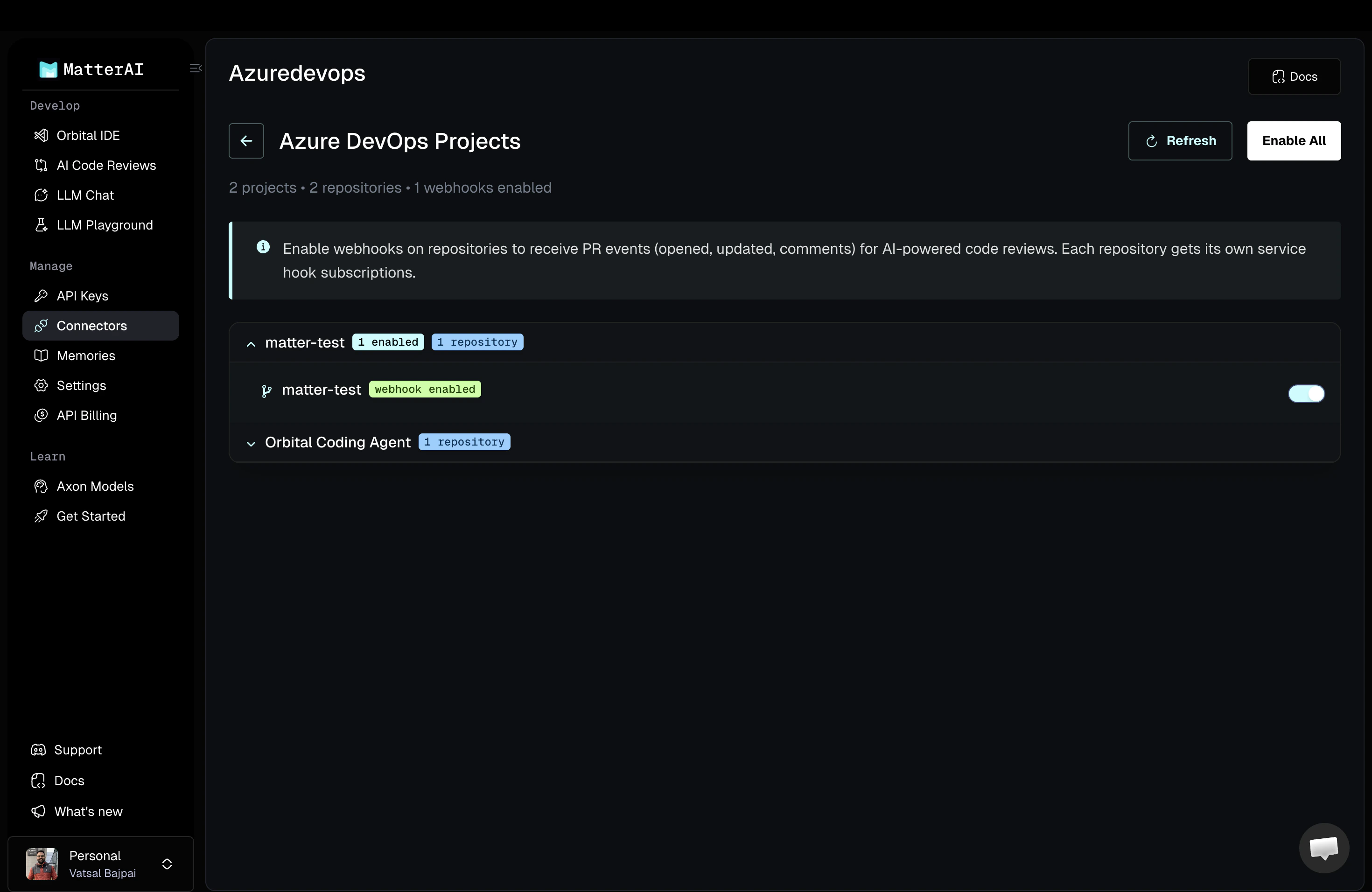
Step 6: Select Repositories
- Browse through your Azure DevOps projects
- Select the specific repositories you want to enable for AI code reviews
- You can enable multiple repositories across different projects
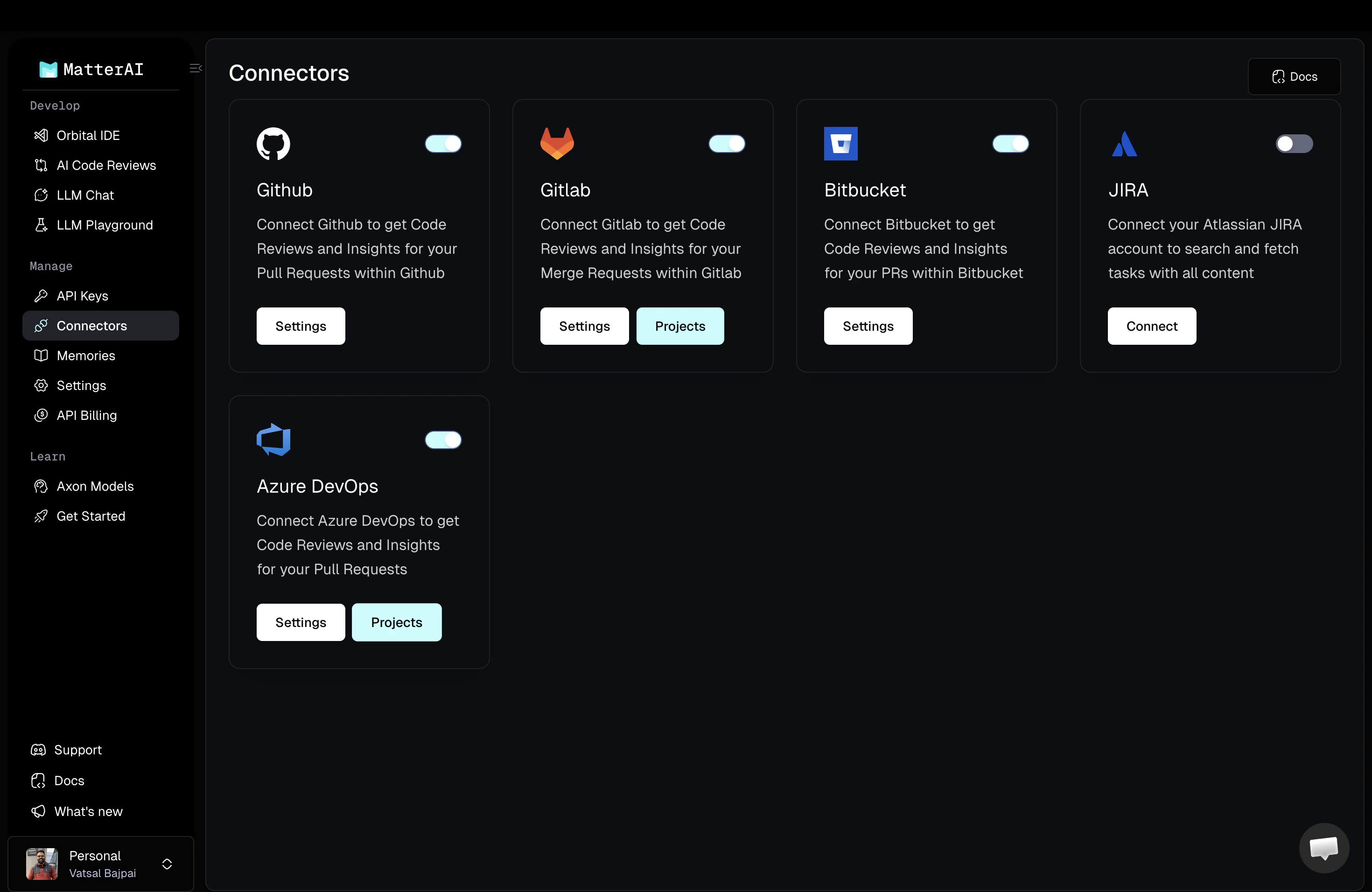
Step 7: Enable Projects
- Toggle the switch to enable MatterAI for each selected repository
- MatterAI will automatically configure the required service hooks for all enabled repositories
- The integration is now active and will process new pull requests
This automated flow works on all Azure DevOps service tiers and supports both
cloud-hosted and self-hosted Azure DevOps Server instances.
Done, Your Integration is Complete!
Azure DevOps Code Reviews
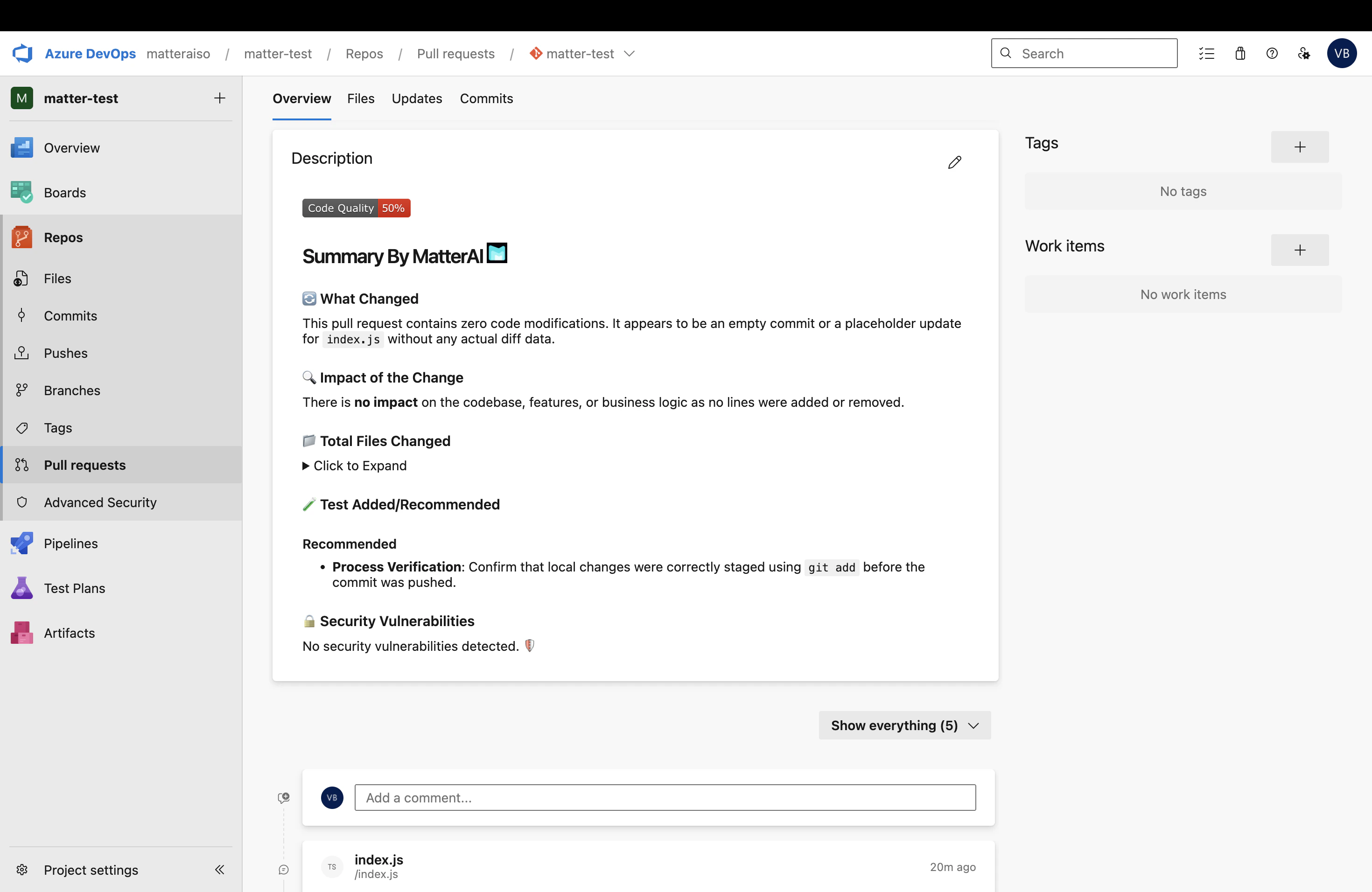
AI Pull Request Summary
Get comprehensive PR summaries in your Azure DevOps pull requests, always up to date with all the commits and changes. MatterAI analyzes the entire pull request diff and provides:- Overview of changes
- Key modifications summary
- Potential issues and suggestions
- Code quality insights
AI Review Comments
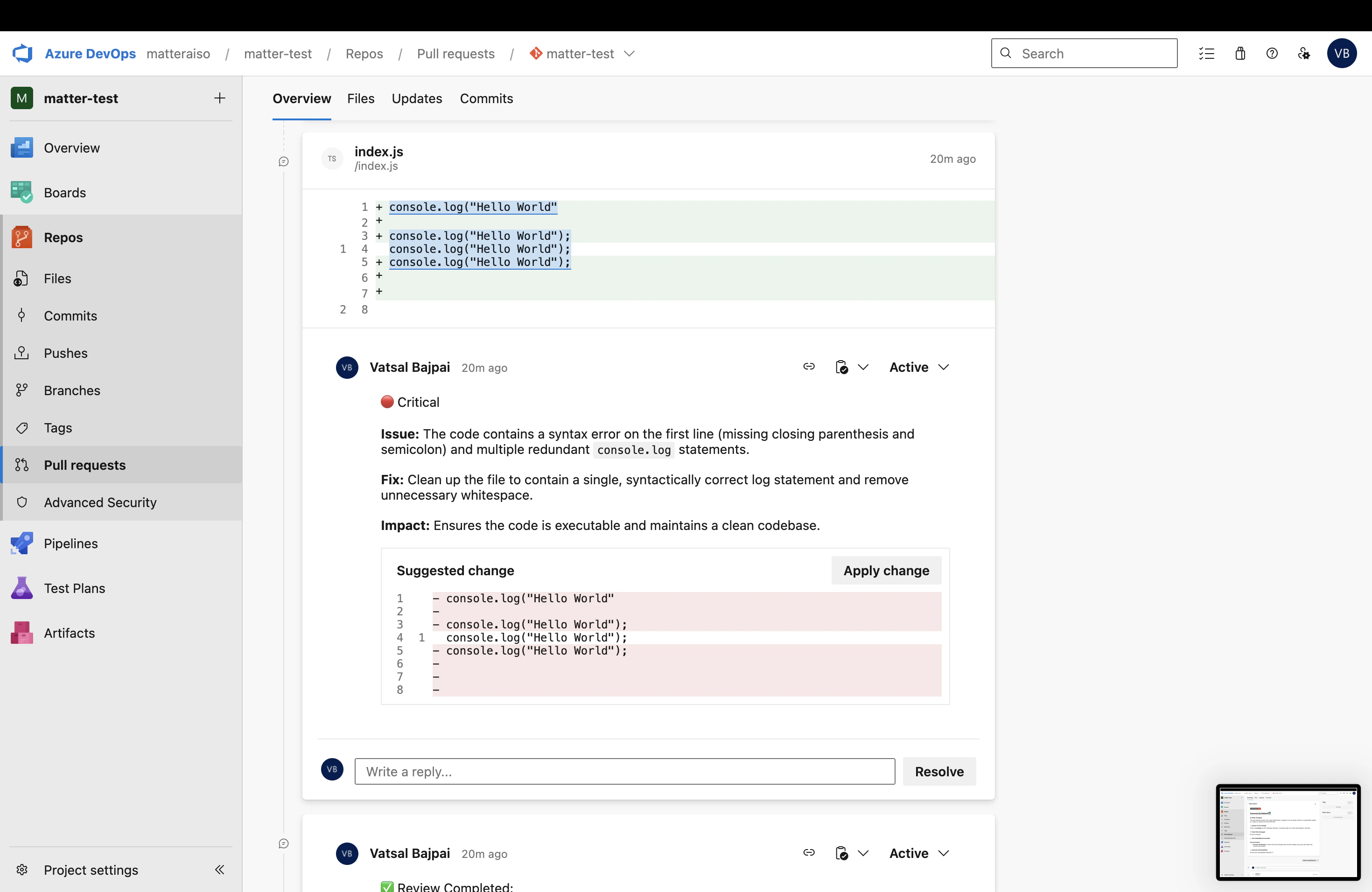
Receive intelligent code review comments directly in your Azure DevOps pull requests with:- Issue Detection: Identify bugs, security vulnerabilities, and code smells
- Fix Suggestions: Get specific recommendations for improvements
- One-Click Apply: Apply suggested code fixes with a single click
- Best Practices: Learn about language-specific and framework-specific best practices
Security Analysis
MatterAI performs comprehensive security scanning on your Azure DevOps pull requests:- Detects common security vulnerabilities (OWASP Top 10)
- Identifies hardcoded secrets and credentials
- Flags insecure dependencies
- Provides remediation guidance
Code Quality
Improve your codebase quality with AI-powered insights:- Performance optimization suggestions
- Code complexity analysis
- Maintainability recommendations
- Test coverage insights