

Documentation Index
Fetch the complete documentation index at: https://docs.matterai.so/llms.txt
Use this file to discover all available pages before exploring further.
Installation
The MatterAI CLI is a command line tool that allows you to locally generate PR Description and Checklist. Official Link: https://www.npmjs.com/package/matter-ai-cli
Generate a new Github Personal Access Token (Classic)
Generate a new Github Personal Access Token here https://github.com/settings/tokens with the following permissions: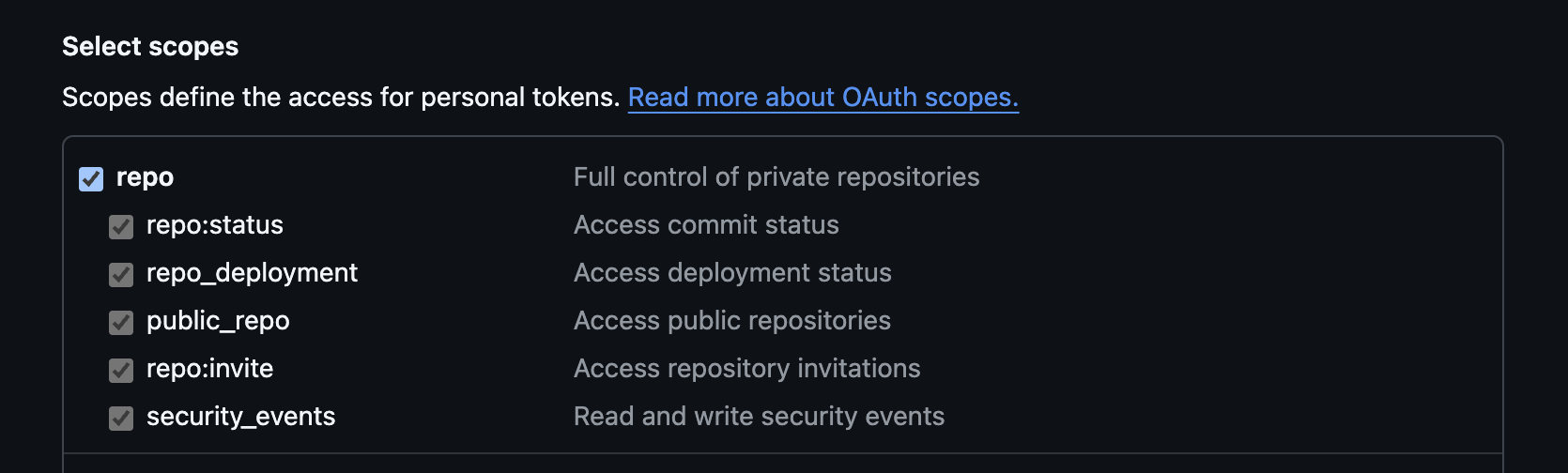
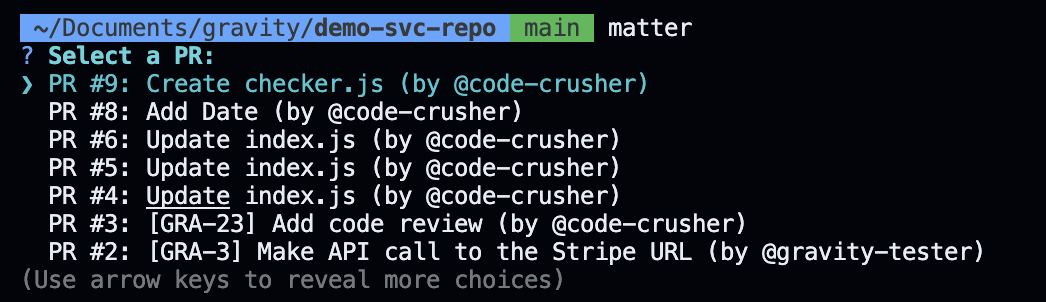
Run the CLI
- Go to the directory of the repository you want to analyze.
- Run the CLI with the following command:
- Enter the Github Personal Access Token when prompted.
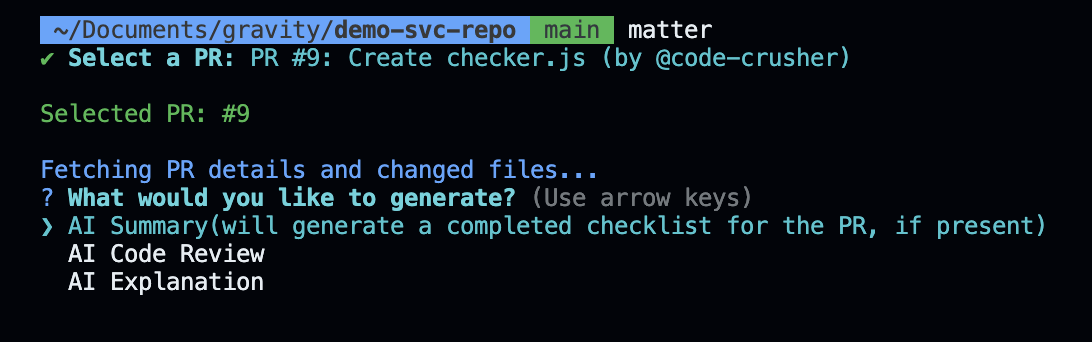
Enter OpenAI API Key
Enter the OpenAI API Key when prompted. Or you can set the 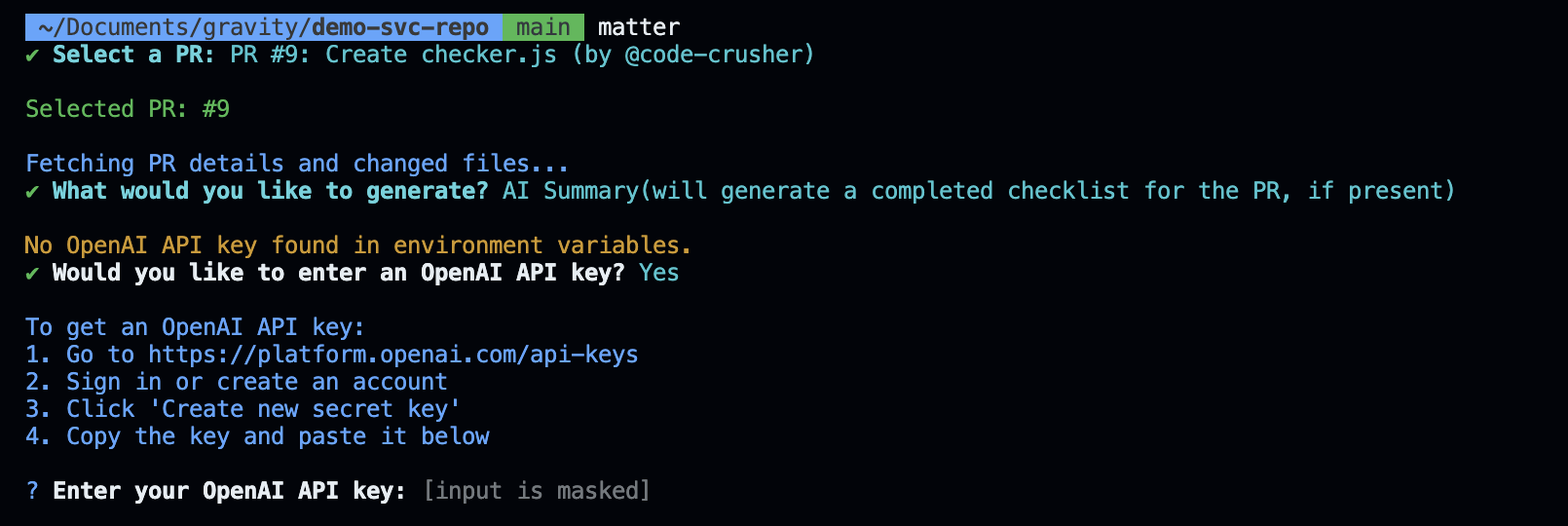
OPENAI_API_KEY environment variable.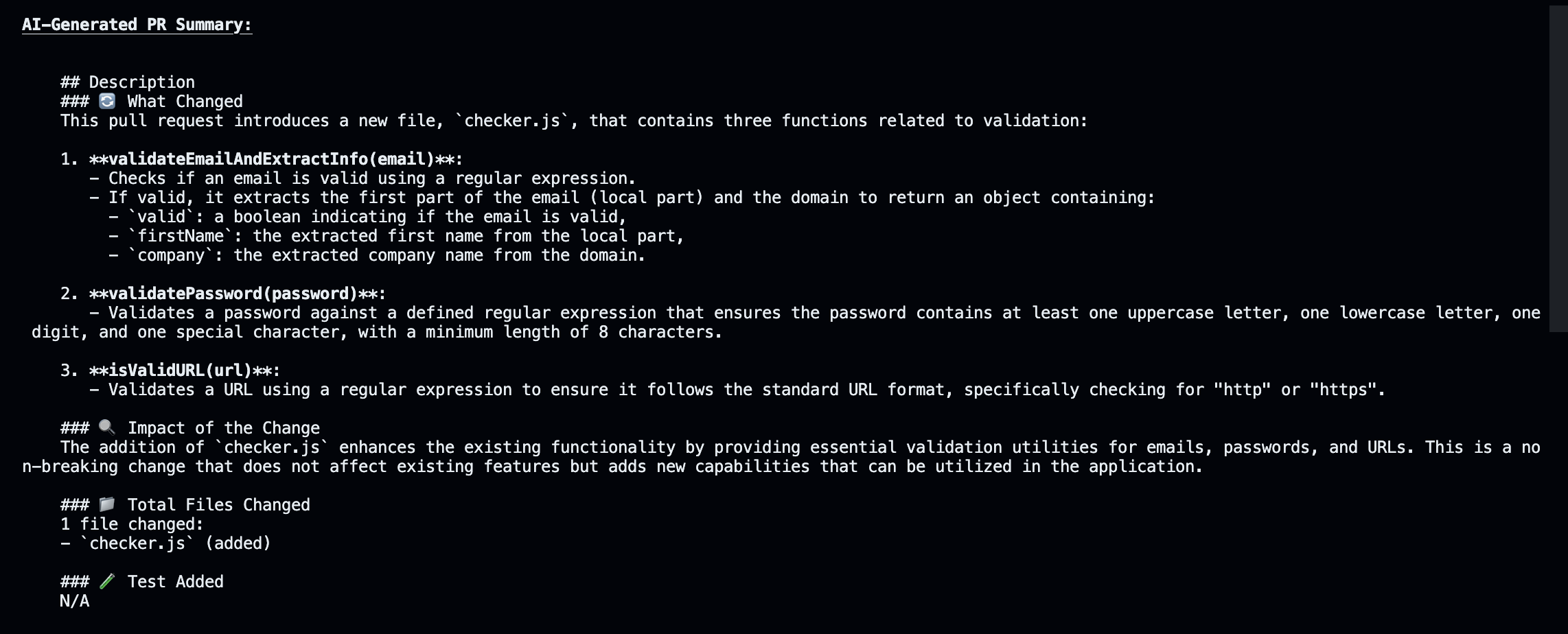
Pro Features
The CLI is free to use, but you can upgrade to the Pro version to get more features:- Automatic AI Summary Generation on every PR and commits
- AI Code Review on every PR and commits
- AI Explanation on every PR and commits
- Team-level analytics and insights
You can get started by visiting https://matterai.so